

Wrist pain from typing is common — and more likely to get worse if you keep working through it. These are five practical things worth trying.

A cross-sectional study of nearly a thousand office workers found that around one in five reported wrist symptoms — and over a quarter of those said the pain was already limiting their ability to work.
The same research identified two clear risk factors: prolonged computer use, and working without breaks.
5 Things To Try If You’re Getting Wrist Pain From Typing Too Much
1. Touch Typing
Hunt-and-peck typing — locating keys visually and pressing them one or two fingers at a time — creates uneven load on the hands and tends to involve harder keystrokes than necessary.
Touch typing distributes the work more evenly across all fingers, encourages a lighter keystroke, and keeps the hands closer to a neutral home row position rather than moving constantly across the keyboard. It also removes the need to look down, which reduces the forward head position that feeds tension into the shoulders and forearms.
The adjustment period is real. Typing speed typically drops before it improves, which makes it difficult to practise during a full working day. Short daily sessions away from work pressure — even ten to fifteen minutes — build the muscle memory faster than trying to switch cold.
Two popular platforms to practice touch typing are MonkeyType.com and TypingClub.com.
Reducing how often you reach for the mouse is worth considering alongside this. Keyboard shortcuts handle more than most people realise — switching between applications, formatting text, managing links and headings — and every shortcut used is one less reach that loads the wrist and forearm.
If the discomfort stems from arm movement, a trackball or vertical mouse are the most likely ergonomic computer mouse types worth trying.
2. Wrist Exercises
Short, regular movement breaks do more for wrist health than longer sessions done infrequently.
The research mentioned above found that working without breaks was directly associated with higher rates of wrist and hand symptoms among office workers. A one to two minute pause every hour or so is enough to make a difference over time.
Wrist movements are one of simplest and quickest exercises to do at your desk while working, as in, you don’t need to get up and step away from the screen. Just get on with the tasks that don’t need the keyboard and mouse use.
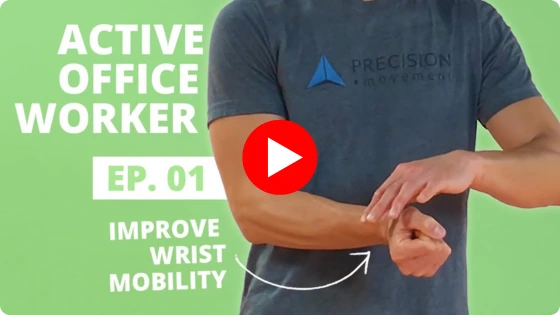
The video below covers the basics: flexor and extensor stretches along both sides of the wrist and forearm, and wrist circles that move through radial and ulnar deviation. It also includes a simple way to anchor the routine so it becomes a daily habit rather than something you remember only when the pain flares up.
Eric Wong holds an Honours Bachelor of Science in Kinesiology from the University of Waterloo and has worked in rehabilitation coaching for over two decades.
3. Wrist Support Bands
Wrist support bands — the type with a thumb opening that keeps the band in place while your hands are active — are designed to be worn during typing rather than overnight.
They hold the wrist closer to a neutral position, which reduces the bending and extension that accumulates over a long session. Unlike rigid splints or braces, which are typically used for diagnosed conditions and worn at rest, a support band allows full finger movement while providing consistent compression and light stabilisation around the joint.
They don’t fix the underlying cause. What they do is reduce the mechanical load on the wrist while other changes — in habit, technique, or setup — have time to make a difference.
4. An Ergonomic Keyboard
Standard keyboards sit flat and straight, which positions the wrists in a degree of extension and outward angle for the entire typing session. Over hours, that sustained position is where strain accumulates.
Ergonomic keyboards address this through design — curved layouts reduce the outward wrist angle, split designs allow each hand to sit more in line with the forearm, and tented designs reduce how far the forearms rotate inward while typing.
This option requires control over your own hardware, which makes it most relevant for home office workers, freelancers, and anyone who buys their own kit. If that’s your situation, the best ergonomic keyboard for wrist pain is a split keyboard as it’s most suited to reducing typing strain specifically.
5. Speech To Text Software
Reducing how much you type is the most direct way to reduce typing-related wrist strain — and speech to text tools make that practical without losing productivity.
Tools like Dragon by Nuance are built specifically for dictation and handle continuous speech accurately enough for drafting documents, emails, and longer-form content. Both Windows and macOS also have built-in voice typing features that work well for shorter tasks without any additional software.
The adjustment is largely mental rather than physical. Most people type faster than they speak initially, and dictating full sentences out loud feels unnatural for the first few sessions. It settles quickly.
For high-volume typing days, or during a period where wrist pain has already flared up, replacing even a portion of keyboard input with dictation takes measurable load off the wrists without requiring any change to your setup.