
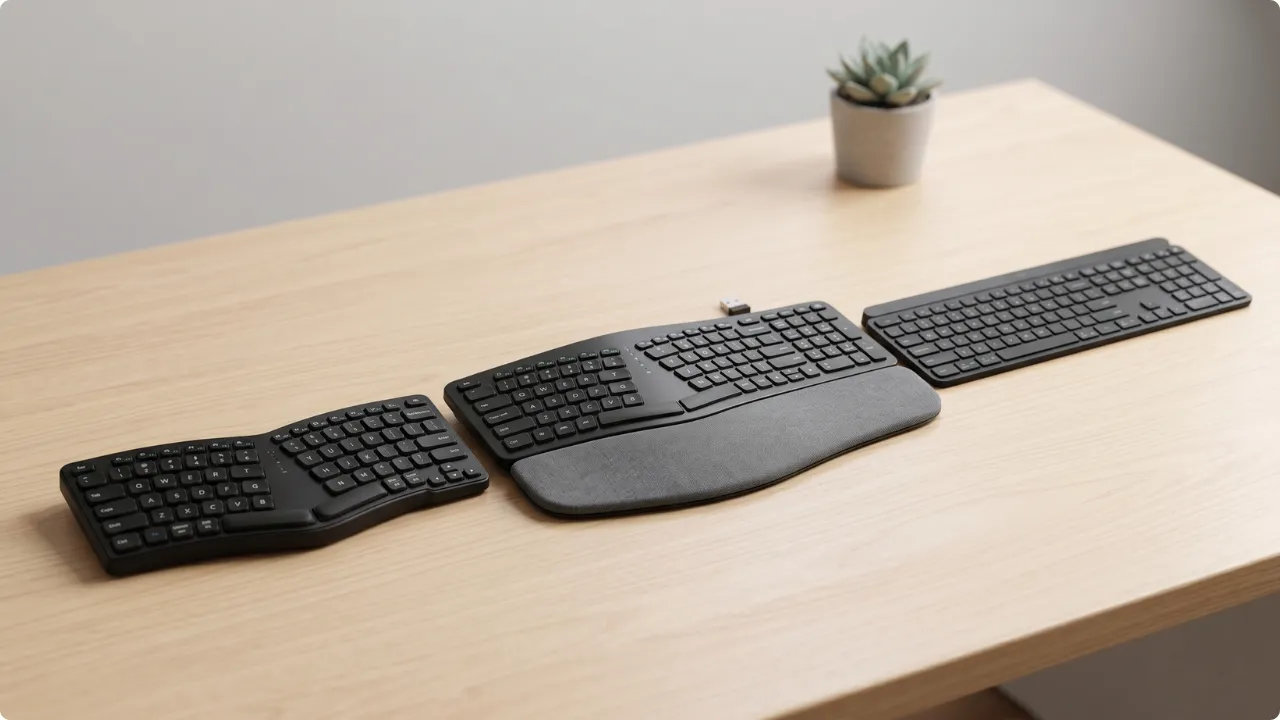
The best ergonomic keyboard for your home office depends on your setup — whether you’re dealing with wrist pain, typing all day, or working with limited desk space.
Ergonomic keyboards are designed to fix different problems. The best ergonomic keyboard for wrist pain won’t reduce shoulder tension if it’s the mouse position that’s causing the issue.
In space constrained setups, the best compact keyboards are often what provides better support for long typing sessions.
Where space is aplenty, you have the benefit of choosing from various ergonomic designs, each engineered to solve different pain points.
The Best Ergonomic Keyboards for More Comfortable Typing
Best Ergonomic Keyboard for Wrist Pain
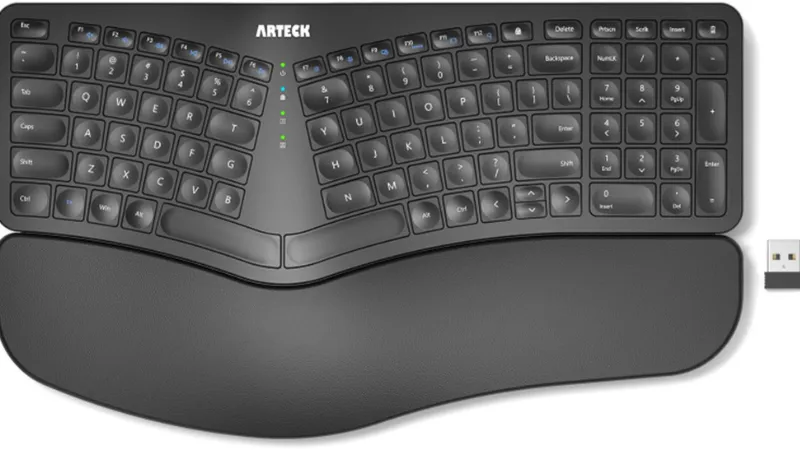
Arteck Split Ergonomic Keyboard
View on AmazonBest for: People dealing with wrist pain or early RSI symptoms who want a split ergonomic keyboard.
Why it stands out:
Wrist pain from typing usually comes from the same place — hands angled inward, hour after hour, with nowhere to rest. The Arteck’s split layout addresses that directly, positioning the wrists and forearms in a more neutral alignment without needing to experiment with separate halves or adjustable positioning.
It’s a fixed split design, which means the shape guides the hand position for you.
Reviews consistently back this up, with users reporting relief from wrist pain and some noting improvement in early RSI symptoms — something they largely credit to the integrated cushioned palm and wrist rest sitting right where the hands naturally fall.
Battery life is worth calling out too. The rechargeable lithium battery is rated for six months at two hours of daily use, and real-world reviews back that up too. Far less likely to die mid-deadline than a set of AAs.
Pros:
- Split layout positions wrists and forearms in a more neutral, relaxed position
- Built-in cushioned wrist and palm rest — no separate accessory needed
- Wireless via nano USB receiver — plug-and-play with no driver installation
- Rechargeable with strong battery life; multiple reviewers report months between charges
- Low-profile scissor-switch keys rated for over three million presses
- Four adjustable tilt legs allow angle customisation
- 2-year warranty with responsive customer service; replacements issued for faults
- UK QWERTY layout confirmed
Limitations:
Fast touch typists may need an adjustment period. The left Shift key is the same size as the backslash key sitting right beside it — unlike the wider Shift most keyboards use. Until muscle memory catches up, stray \ characters have a habit of appearing mid-sentence.
For solo working, key noise is rarely a dealbreaker — some people find the rhythm of typing almost meditative. In a shared space it’s a different story. The space bar in particular runs louder than expected, and a small number of users have reported a pinging sound from it over time. Worth considering if a partner or housemate is trying to watch TV on the other side of the room.
The wrist rest and four adjustable tilt legs are there for a reason — to help find the relaxed typing position the keyboard is built around. Fingers resting lightly on keys rather than driving down into them. For typists who naturally type that way, the build should hold up well.
For heavier typists who haven’t made that adjustment yet, the leatherette palm rest cover is the most likely casualty — peeling has been reported on some units after a few months. It’s not a premium material, and it will show wear faster under harder use. The two-year warranty covers replacements, but it’s worth knowing going in.
Key specs:
- Layout: UK QWERTY
- Connectivity: 2.4G USB wireless (nano receiver)
- Switch type: Scissor-switch
- Number of keys: 102
- Battery: Rechargeable Li-polymer, rated 6 months (at 2 hrs/day)
- Tilt: 4 adjustable legs
- Dimensions: 41.9 x 24.4 x 2.6 cm
- Warranty: 2 years
Verdict:
The Arteck is built for people who type for hours and are starting to feel it in their wrists — not a specialist ergonomic solution, but a meaningful step toward one. The fixed split layout won’t suit everyone. It isn’t adjustable, and the hand position is guided by the keyboard’s shape rather than set by the user. But for most desk setups, that’s enough.
The wrist rest and tilt legs do the work of finding a natural typing position, and user reviews consistently back up that it makes a difference — particularly for those catching wrist strain early before it becomes a bigger problem.
The limitations covered above are real, but none of them undermine what the keyboard is actually for. If long typing sessions are taking a toll on your wrists, this addresses that.
Check today’s price on AmazonBest Comfort Keyboard for Typing All Day
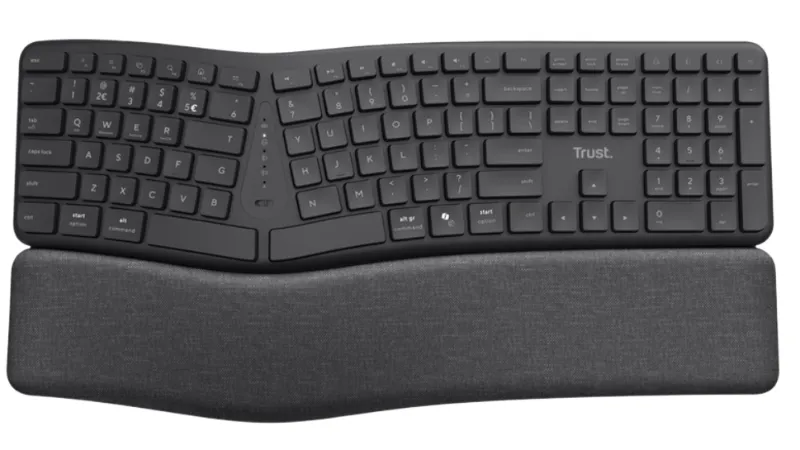
Trust Arvia Ergonomic Wireless Keyboard
View on AmazonBest for: Touch typists who spend most of their working day at a keyboard and want a full-size ergonomic layout that reduces the strain that builds up over long sessions.
Why it stands out:
Think of someone moving from a busy reception desk to a transcription role — already a capable typist, now spending most of the working day with fingers on keys. The Arvia is built for that kind of use. Not as an introduction to ergonomic typing, but as the keyboard you graduate to when typing is the job rather than part of it.
The full-size split layout and convex curve reward the touch typist specifically. Hands on home row, eyes on the screen, fingers travelling cleanly between keys rather than hunting. The silent keys keep that rhythm going without broadcasting it to everyone else in the room.
There is an adjustment period — most users report a week or two before speed returns to normal. That’s not a flaw, it’s the keyboard doing its job. It’s retraining hands into a position that causes less strain over hours, not minutes.
Pros:
- Full-size split layout with convex curve — ErgoCert approved for posture, wrist support, and reduced strain during long typing sessions
- Silent keys — noticeably quiet without sacrificing key travel
- Fabric finish palm rest included — softer and more breathable than leatherette alternatives
- Connects to up to 3 devices via 2x Bluetooth and 2.4GHz USB receiver — one-button switching
- USB-C and USB-A receiver included — works with modern and older laptops
- AA batteries rated up to 2 years — no charging required
- Compatible with Windows, macOS, Linux, Chrome OS, and Android
- UK QWERTY layout confirmed
- 5-year manufacturer warranty
Limitations:
The split layout and convex curve require a genuine adjustment period. Expect slower typing and more misfires in the first week or two while muscle memory rebuilds. For capable touch typists, most report settling in within a couple of weeks. For anyone who types with less structured technique, the adjustment will take longer and may feel more disruptive than it’s worth.
Certain Ctrl key combinations — Ctrl+Home, Ctrl+End, Ctrl+PgUp and Ctrl+PgDn — have been reported as not registering correctly by some users. For general typing this rarely comes up, but anyone who relies on those shortcuts regularly, particularly for document navigation, should test them early.
In a busy wireless environment with multiple competing devices, occasional missed keypresses can occur on the 2.4GHz connection. Switching to Bluetooth or moving the USB receiver closer to the keyboard resolves this in most cases.
Also note, the palm rest is fixed to the keyboard and cannot be removed or replaced. The fabric finish is comfortable for long sessions, but it will show wear over time and there’s no way to refresh it short of replacing the keyboard itself. Worth factoring in if you type heavily every day.
Key specs:
- Layout: UK QWERTY, full-size
- Connectivity: Bluetooth (2 channels) + 2.4GHz USB receiver (USB-C and USB-A) — up to 3 devices
- Switch type: Membrane, silent
- Number of keys: 111
- Multimedia keys: 7
- Battery: 2 x AA (included) — rated up to 2 years
- Palm rest: Fabric finish, fixed
- Tilt: Fold-out feet
- Compatible: Windows, macOS, Linux, Chrome OS, Android
- Weight: 898g
- Warranty: 5 years
Verdict:
The Arvia is the keyboard for someone who already types well and wants to do it more comfortably for longer. The full-size layout means no compromises on key position, the split curve does the ergonomic work without requiring a completely new way of typing, and the silent keys keep long sessions from becoming an imposition on everyone else in the room.
The adjustment period is real — expect a week or two before typing feels natural again. That’s not a reason to avoid it, it’s the cost of moving to a keyboard that’s genuinely better suited to sustained typing work. Most users settle in and don’t go back.
The Ctrl key combination issue is worth testing early if shortcuts are a regular part of your workflow. It affects a small number of users but it’s specific enough to check before committing.
For touch typists who spend most of their working day at a keyboard, this is the most capable option — and the five-year warranty suggests Trust are confident in it holding up.
Check today’s price on AmazonBest Ergonomic Keyboard for Small Desks
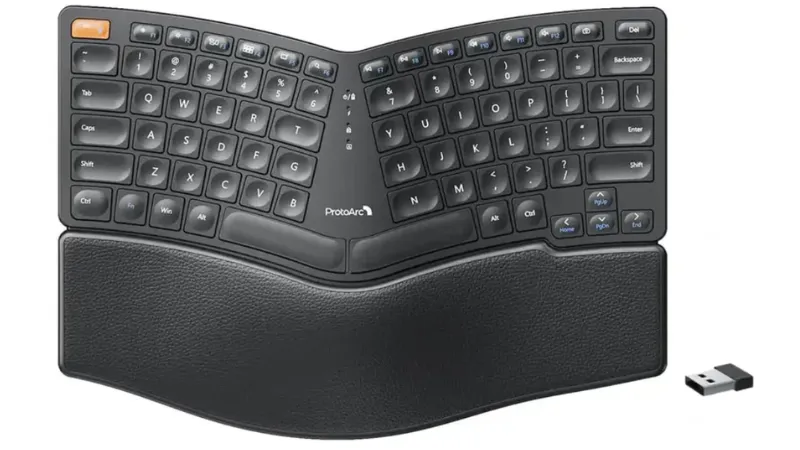
ProtoArc EK04 Mini
View on AmazonBest for: Anyone doing a lot of typing at a compact desk (<100 cm) who notices shoulder, wrist, or neck aches when shutting down for the day.
Why it stands out:
Not every home office starts with a dedicated room and a proper desk. For a lot of people it’s a spare bedroom, a corner of the living room, or a dining table that doubles as a workspace when the laptop comes out.
On a desk under a metre wide, a full-size keyboard doesn’t just take up space — it pushes the mouse out to the right further than it should be, and that reach builds up into shoulder tension over the course of a working day in a way that’s easy to miss until it’s already a problem.
The EK04 Mini removes the numpad and keeps the overall footprint compact, which brings the mouse back within natural reach. That’s the primary ergonomic benefit — not just that the keyboard is smaller, but what being smaller actually does for the shoulder and arm position across a full session.
The curved split layout and reverse incline tilt legs handle the wrist and forearm position, keeping hands in a more neutral alignment during typing. The USB-C rechargeable battery is rated for 250 hours standby from a two-hour charge — practical for a setup where desk space is at a premium and cable clutter is already an issue.
Pros:
- Compact curved split design reduces wrist deviation and forearm tension
- No numpad keeps the mouse closer to the body, supporting more natural shoulder alignment
- Connects to up to 3 devices via Bluetooth or 2.4G USB receiver — one-button switching
- USB-C rechargeable — rated 250 hours standby from a 2-hour charge
- Reverse incline tilt legs allow angle adjustment for different typing preferences
- Compatible with Windows, Mac, and Android
- UK QWERTY
Limitations:
The palm rest is fixed and cannot be removed. The surface is hard textured plastic rather than padded cushioning — functional for keeping wrists supported during typing, but noticeably firmer than dedicated foam or fabric rests. Users coming from a more cushioned setup will feel the difference.
The right side of the keyboard runs cramped compared to a standard layout. The Enter and Backspace keys sit closer together than most typists are used to, and it takes a few sessions before muscle memory adjusts.
Windows users will find the layout immediately familiar. Mac users will need to learn a small number of key combinations for certain characters — the hash key being the most common example, which requires Option + 3 rather than a dedicated key.
Key specs:
- Layout: UK QWERTY, compact 80-key (no numpad)
- Connectivity: Bluetooth (2 channels) + 2.4G USB receiver — up to 3 devices
- Switch type: Membrane, low-profile chiclet
- Number of keys: 80
- Battery: Built-in rechargeable — rated 250 hours standby (2-hour charge)
- Tilt: Reverse incline adjustable legs
- Palm rest: Leather-surface, fixed
- Compatible: Windows, Mac, Android
- Dimensions: 33.5 x 23 x 2.5 cm
- Warranty: 1 year
Verdict:
The EK04 Mini makes its case on desk space first. On a setup under a metre wide, removing the numpad isn’t just about saving room — it’s what brings the mouse back within natural reach and takes the strain off the shoulder over a full working day. That alone separates it from full-size ergonomic keyboards that address wrist position while ignoring everything to the right of the keyboard.
The split curved layout does the rest of the ergonomic work. There is an adjustment period, particularly around the right-side keys, but users who stick with it — especially those already experiencing wrist, shoulder, or neck strain from long hours at a desk — consistently report it was worth the effort.
The palm rest is functional rather than luxurious, and the compact layout requires some patience early on. For a small desk where space is the primary constraint, this is the most practical ergonomic option.
Check today’s price on AmazonWhich Ergonomic Keyboard Is Right for You?
The best ergonomic keyboard is the one that solves the biggest problem you have. All three support better posture, but your setup is a contributing factor.
If you’re limited on space, the choice is fairly straightforward. A compact ergonomic keyboard is the only practical option, and the EK04 Mini is the best of that type here.
When you find yourself stopping to shake out your wrists, or your fingers are stiffening up mid-session, the Arteck is likely the right starting point. That’s for general wrist ache and early strain — not specific conditions like arthritis or carpal tunnel, which typically need a more specialist solution than any of the three here.
For all-day typing, the Arvia earns its place. The full-size split layout and convex curve are built for sustained typing work, though there is a learning curve before it starts to feel natural.
The right keyboard might feel like a big change from what you’re used to. But the earlier you make the switch and let muscle memory do its work, the sooner long sessions stop taking a toll.
- Best ergonomic keyboard for wrist pain: Arteck Split Ergonomic Keyboard
- Best comfort keyboard for typing all day: Trust Arvia
- Best ergonomic keyboard for small desks: ProtoArc EK04 Mini
FAQs
Are ergonomic keyboards actually worth it?
For most people who type for several hours a day, yes. An ergonomic keyboard encourages a more natural wrist and forearm position, which reduces the strain that builds up over long sessions. The benefit is most noticeable for anyone already experiencing discomfort with a standard flat keyboard.
What are the disadvantages of ergonomic keyboards?
The main drawbacks are the learning curve and the price. Split and curved layouts take time to adjust to, and typing speed often dips in the first week or two before muscle memory catches up. Ergonomic keyboards also tend to cost more than standard options, and the more specialised the design, the higher the price.
What keyboard is best for wrists and finger pain?
A fixed split keyboard — where the two halves are joined but angled apart — is a practical starting point. For more persistent pain, a fully separable keyboard lets each half be positioned independently, giving greater control over wrist angle and shoulder width. The Arteck listed above is a fixed split design.
Bear in mind a keyboard only addresses typing. If you use a mouse, that hand is doing the typing and all the clicking and gripping, so it often takes the brunt of finger strain — especially if the mouse is too small and your finger has to curl to click. If the ache is in your clicking hand, it may be finger pain from mouse use rather just typing.
Can a keyboard cause wrist pain?
A standard flat keyboard can contribute to wrist pain over time by forcing the forearms to rotate inward and the wrists to bend upward during typing. This sustained unnatural position is one of the main reasons ergonomic keyboards were developed. Switching to a keyboard that allows a more neutral hand position can help reduce that strain.