
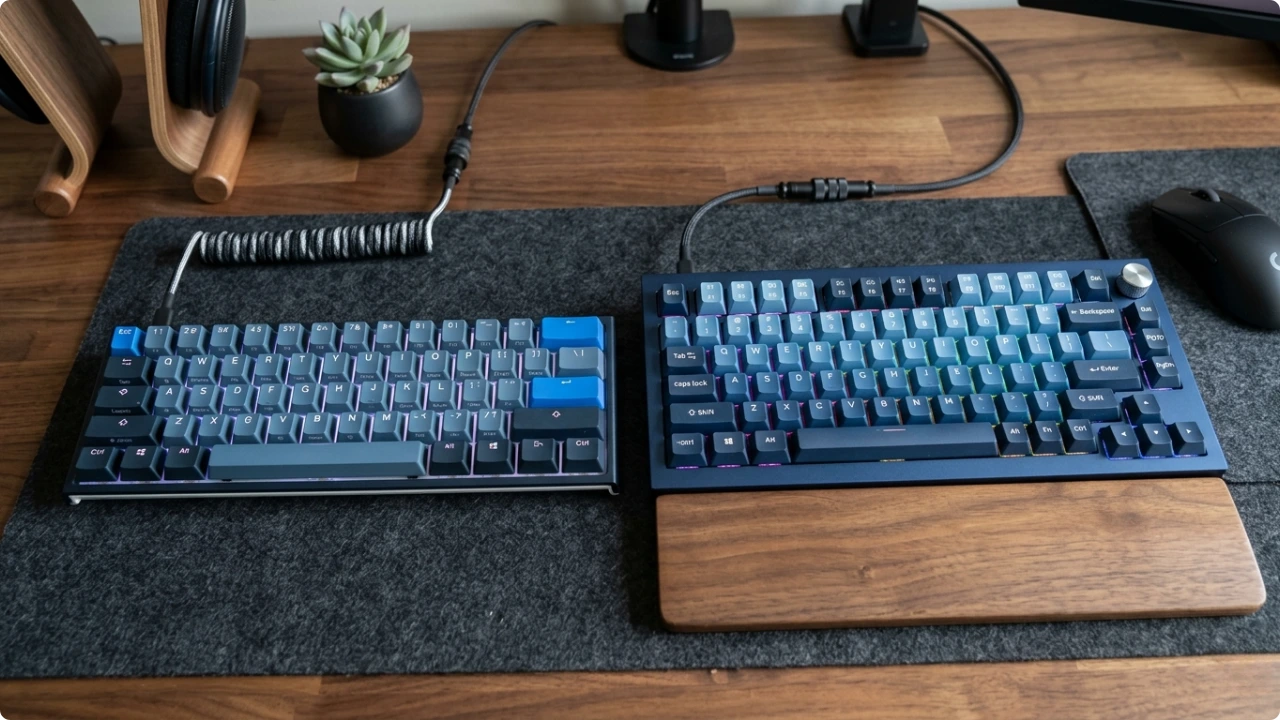
Space constraints make smaller keyboards seem like the obvious fix. But every size drop removes something. Deciding between the two requires you to know which keys you can afford to lose.
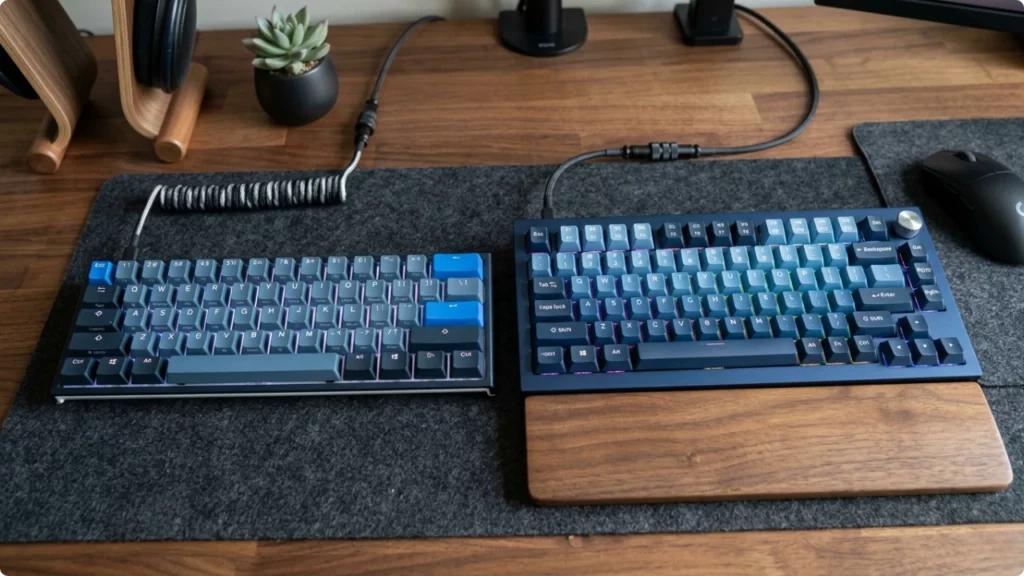
A 75% keyboard is roughly the width of a laptop keyboard with a function row added above it. A 60% is closer to the laptop keyboard on its own — familiar in size, but with less underneath the surface than it first appears.
60% vs 75% Keyboards: Pros, Cons, and Which One Fits Your Style
What Changes Between 60% and 75%
Both sizes keep the full alphanumeric block intact — every letter, every number across the top row, standard modifiers. That’s the part most people type on most of the time, and neither size asks you to relearn it.
The difference is everything to the right and above that block.
A 75% keeps the function row across the top and a dedicated column of arrow keys. A 60% keyboard removes both. Those keys don’t disappear entirely — on most 60% keyboards they’re accessible through a function layer, usually by holding Fn and pressing another key. But they’re no longer a single keypress away.
For occasional use, that trade-off is manageable. For a full working day, it depends entirely on which keys you reach for without thinking.
Knowing your computer keyboard styles comes down to one thing — what can you afford to lose, and what can’t you work without?
The Keys You’ll Miss Mid-Flow
The function row is the most significant loss on a 60%. It’s also the one people underestimate until they’re mid-task.
For anyone whose workflow involves screenshotting and dropping images into Slack or Teams, Print Screen is a key they press without thinking. On a 60%, that’s now a two-key combination. Small friction, but it adds up across a day of remote collaboration.
For developers, the function row runs deeper. F5 to run the debugger in VS Code. F12 to go to definition. F2 to rename a symbol. These aren’t occasional shortcuts — they’re the rhythm of a coding session. Moving them behind a layer interrupts that rhythm, affecting productivity.
Arrow keys tell a similar story. Anyone who edits text regularly — moving through a document, selecting a range, navigating a spreadsheet — reaches for arrow keys instinctively. On a 60%, that instinct costs a beat each time.
None of this makes a 60% keyboard unworkable. It just depends on your workflow.
Where a 60% Keyboard Has a Place
The strongest case for a 60% isn’t at a desk. It’s in a bag.
For anyone whose work moves between locations — a home setup in the morning, a café table at lunch, a co-working space later in the week, the occasional table seat on a train — a 60% keyboard earns its place through portability. It’s lighter, sits flatter in a laptop bag, and adds less bulk than a 75% without meaningfully changing the typing surface you use.
The workflows that travel tend to be lighter too. Writing, email, reviewing documents, video calls. The tasks where F key shortcuts matter most — debugging, intensive spreadsheet work, screenshot-heavy collaboration — tend to happen at a fixed setup where the full keyboard is already within reach.
For that kind of work pattern, a 60% is a considered choice that fits how the day runs.
Where a 75% Keyboard Fits
For anyone working from a fixed setup — a home desk, a spare room, a kitchen table that doubles as an office — the 75% is the more practical size, and the space saving from dropping to a 60% is smaller than it looks on paper.
The width difference between the two is roughly 1 to 2 centimetres in practice. On a cramped surface, that’s not nothing, but it’s unlikely to be the thing that solves a space problem. What the 75% gives back in return for those centimetres is a working keyboard — function row present, arrow keys where they should be, Print Screen a single keypress away.
For remote workers dropping screenshots into collaboration tools throughout the day, that matters the moment it’s needed. For developers using a 75% as their sole external keyboard — particularly with a laptop raised on a stand — the function row stays accessible without reconfiguring an IDE or remapping shortcuts before work can begin.
The 75% doesn’t ask much of you. It works the way a keyboard is expected to work, in a footprint compact enough to bring the mouse closer and free up meaningful desk space compared to a full-size layout.
The best compact keyboards for a fixed home office setup sit in the 75% to TKL range — small enough to free up desk space, functional enough not to lose vital keys that affect your work.
For a setup that travels, the best portable laptop stands are compact enough to pack alongside a 60% keyboard without the bag becoming impractical.
60% or 75%: The Short Answer
A 60% is a portability keyboard that works at a desk. A 75% is a desk keyboard compact enough to travel with if needed.
For most people working from a fixed setup — however small the space — the 75% is the one that gets out of the way and lets the work happen.