
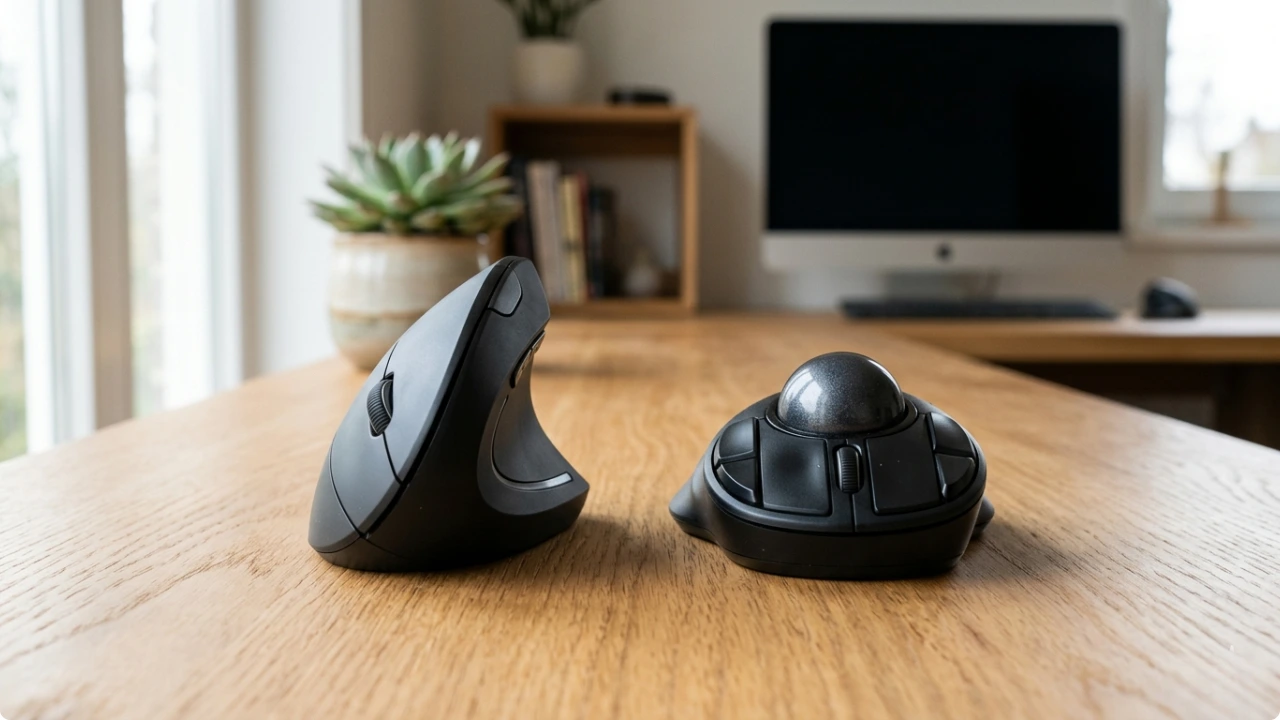
When comparing a trackball vs vertical mouse for wrist pain, there are nuances to both. Which suits you depends on whether your wrist needs repositioning or simply needs to stay still.
A trackball stays stationary, which suits joint pain that eases when the wrist and forearm are isolated — you move the pointer with your fingers and thumb rather than the whole arm. A vertical mouse takes a different route, rotating your wrist into a more natural, handshake position.
Both are solid options ergonomically. They’re just built around different pain points.
Trackball vs Vertical Mice: Which Eases Wrist Pain?
How a Trackball Mouse Works
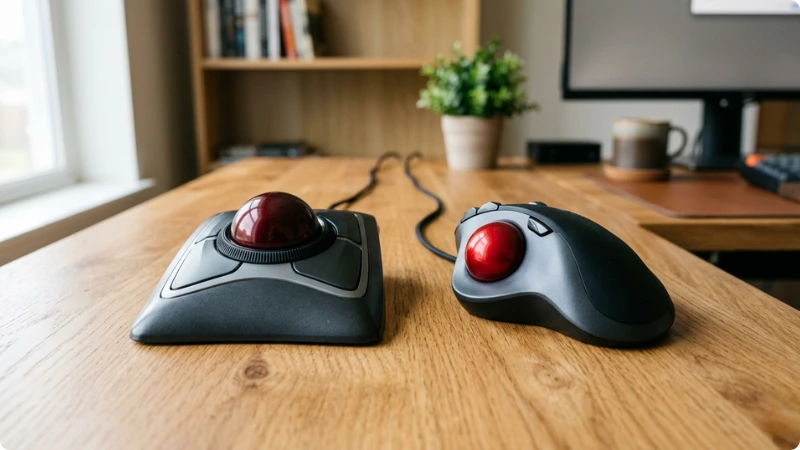
With a trackball, your hand stays put. Instead of pushing the whole mouse around the desk, you move the pointer with your thumb or fingers while the base stays still.
That changes where the effort goes. There’s no repeated lifting, dragging and repositioning across a mat, so your wrist, forearm and shoulder aren’t making the small, constant movements a regular mouse asks for all day. For pain that flares from that steady motion, keeping the arm still is the main draw.
It takes time to adjust, though, and this is the part worth knowing about. Changing from moving your wrist to keeping it still doesn’t feel natural straight away. Expect a few practice hours and some frustration in the first few days while the cursor overshoots and fine clicks feel fiddly.
If you’re working to a deadline, it can help to keep your usual mouse to hand and rotate the trackball in for the lighter work while you build up to it.
Where the ball sits matters too. Thumb-operated trackballs put the work into one digit, and the base of the thumb already carries a heavy load — the joint there takes up to 13x the force applied at the thumb tip. A finger-operated ball spreads the movement across the fingers instead.
Which suits you (finger or thumb trackball mouse) depends on where your source of pain is: if it’s the base of your thumb, a finger ball may be kinder; if it’s the finger joints, the reverse can be true. If you’re not sure where yours comes from, that’s worth pinning down — or asking a physio.
One more thing the spec sheets skip: a larger ball can sit fairly high, so without a wrist rest your wrist can end up angled back to reach it. That’s a different strain from the side-to-side movement you’re avoiding. A small rest under the wrist usually settles it.
Trackballs also need the odd clean. Dust and skin oil gather in the socket and the cursor starts to feel jumpy or sticky — not a fault, just a sign it’s due. On most models the ball lifts straight out, so it’s a ten-second job with a cotton bud and a little isopropyl alcohol, (never sprayed straight onto the ball, though).
Kensington is the name most associated with trackballs, and its Expert Mouse — a finger-operated model that lifts out cleanly for that wipe — sits among the best trackball mouse picks worth a closer look.
How a Vertical Mouse Works
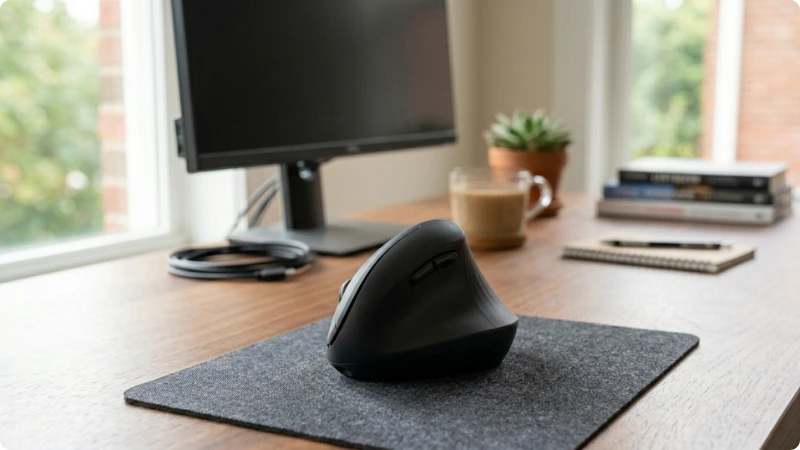
A vertical mouse turns your hand on its side. Instead of lying palm-down over the top, your hand drapes over an angled body in something close to a handshake — thumb up, little finger down.
That angle is the whole point. A flat mouse forces your forearm into pronation: the palm rotates down and the two bones in your forearm cross over each other, which is the twist that builds strain over a long day. The handshake tilt lets those bones sit more parallel, taking that rotation out of the wrist and forearm. Most people feel the difference on the first day rather than having to train into it.
Part of why it adapts so quickly is that you’re still using it like a mouse. You move it around the desk the same way, so you’re learning a new grip, not a new skill — and the cursor precision, speed and fine control all carry over. For anyone who needs accuracy or works fast, nothing is given up to get the better posture.
It does have a limit worth being straight about, though. The tilt fixes the rotation of your forearm, but you’re still sweeping the whole mouse across the desk — so your shoulder and the broader repetitive movement are still in play.
If your trouble is mainly forearm twist and wrist posture, a vertical mouse targets it well. If it’s general arm fatigue from constant movement, the tilt alone won’t settle that.
Where you put the mouse matters as much as the mouse itself. If you’re reaching out to the side to find it, you’re loading the shoulder before the tilt has had a chance to help.
Bringing the mouse in close to the edge of the keyboard shortens that reach. A desk mat with wrist support that runs along the front of the desk with room for both keyboard and mouse keeps everything within a short, supported reach.
Fit is the catch to watch. A vertical mouse is a moulded shape your hand sits over, so unlike a flat mouse it doesn’t suit every hand — too big and you grip rather than rest, too small and you can’t reach the buttons cleanly. There’s also handedness to factor in: most vertical mice are moulded for the right hand, so left-handers have fewer options and need to check a model has a left-hand version available.
The handshake angle itself is usually around 57 degrees — the tilt Logitech’s research, tested with ergonomists, settled on as the “natural handshake” point: steep enough to undo the forearm twist, not so steep it feels awkward.
More specialist makes like Evoluent go steeper still, closer to fully upright, which some people find better and others find a step too far. The right angle is a bit personal, which is part of why trying the handshake style before committing helps.
Logitech is the vertical mouse name most people in the UK know. Its MX Vertical is the signature model and sits among the best vertical mouse picks for medium-to-large hands, while the Lift — released later, after enough smaller-handed users hit the size issue to justify a separate line — is the one to look at for smaller hands, and it comes in a left-handed version too.
How They Compare for Wrist Pain
Both reduce strain, but they don’t do it the same way — and the right one depends on where your pain points are felt.
Movement and Muscle Use
A vertical mouse still moves around the desk like a normal mouse — you’re just doing it with your hand turned on its side, so the movement is natural rather than twisted. A trackball barely moves at all; your hand stays put and your thumb or fingers do the work instead.
That difference decides where the load goes. The vertical mouse takes the twist out of your forearm but leaves your shoulder doing the same sweeping it always did — so it’s a strong fix for forearm and wrist posture, less so for an aching shoulder.
The trackball takes that sweep away almost entirely, which is the relief if constant arm movement is your problem — but it concentrates the work into the digits instead. Thumb-operated trackballs put it through the thumb; finger-operated ones spread it across the fingers, which lands differently depending on where your own pain is. There’s a bit more on which suits which kind of pain in the trackball section above.
So, broadly: reach for a vertical mouse if the ache is in the forearm or wrist from twisting, and a trackball if it’s the constant moving that wears you down.
Mouse Position and Reach
Where the mouse sits is half the battle, and the two types handle it differently. A trackball is stationary — it can’t drift out to the edge of the desk, so it can’t pull your arm out into the reach that loads the shoulder. The position looks after itself.
A vertical mouse gives you that same benefit only if you keep it positioned close to the keyboard. It’s easy to let it wander out too wide, putting more strain than needed on tendons and joints.
The fix is the setup, not the mouse: a smaller mouse mat, or better, a desk mat that runs under both the keyboard and mouse, brings the mouse into a closer position so it can’t stray to the edge. One device enforces good positioning for you; the other lets you have it as long as the desk is set up to hold the line.
Switching Hands for Relief
If you’re left-handed, this is the point to check first — most vertical mice are moulded for the right hand, so your options are narrower and worth confirming before you settle on a model. Trackballs are more often symmetrical, which keeps the choice open.
That symmetry has a second use. A mouse you can drive with either hand lets you switch the load to your other hand to give the dominant one a rest — not for fine, precise work, where the non-dominant hand is clumsy at first, but for lighter stretches like reading and scrolling, it’s an easy way to take some pressure off the hand that’s hurting. A right-moulded vertical mouse can’t really offer that; a symmetrical trackball can.