
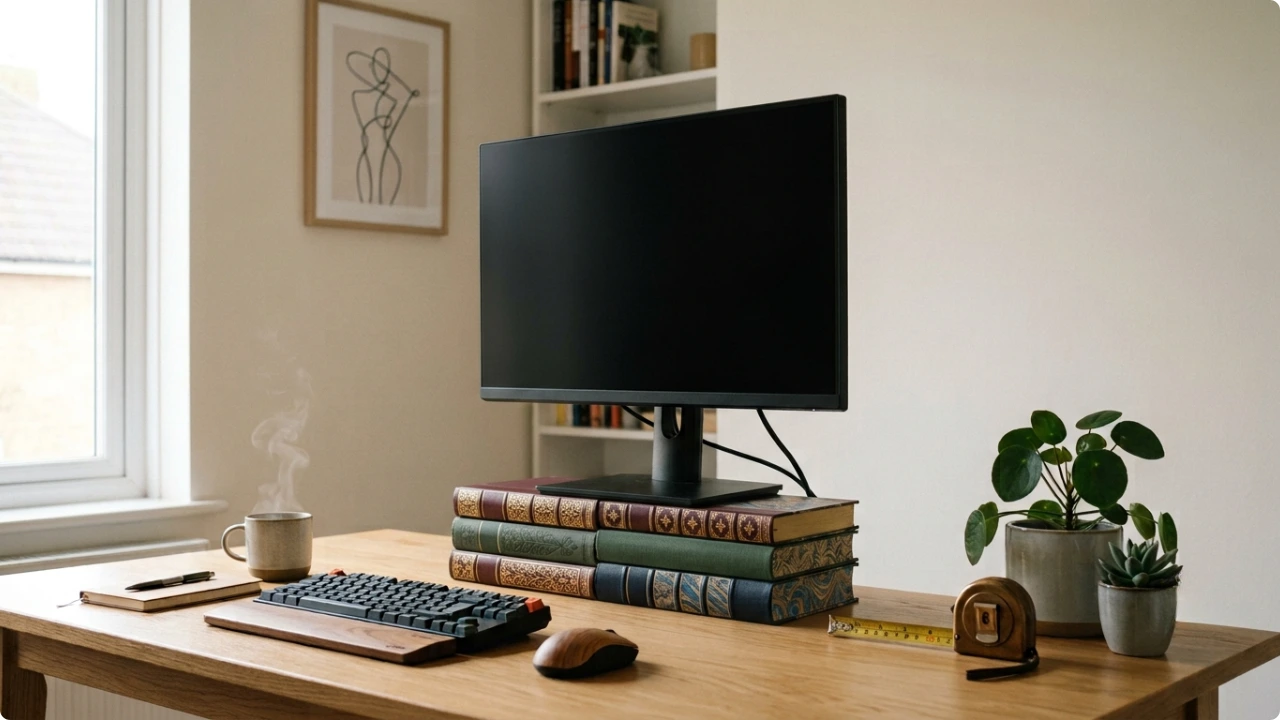
The most comfortable monitor height for you is a specific number, and it’s yours alone. Find it first, with what’s already on your desk, and choosing a stand becomes straightforward.
Most people raise their screen until it feels better than it was. That’s an improvement, but it rarely lands on the height that’s actually right — because the right height isn’t a fixed measurement. It’s set by you, your chair, and your desk together, which makes it personal to your setup.
The good news is you can find your exact number in a few minutes, using books you already own. Once you have it, you know precisely what to look for in a stand.
On this page
The height you’re aiming for
The target is simple to state. The top edge of the screen should sit at or just below eye level, so that when you look straight ahead your gaze falls near the centre of the display or slightly below it.
That’s the height. Everything else about where a screen should sit — how far back it is, whether it’s squarely in front of you, the tilt — matters too, and the proper position for a computer screen covers the full picture. This post is about one thing: getting the height right, and knowing what to use to hold it there.
Find your number with a stack of books
Here’s the test. Sit at your desk in your normal working position, in the chair at the height you actually use. Close your eyes. Open them, and notice where your gaze naturally lands without adjusting your head.
If you’re looking over the top of the monitor, it needs to come up. If your gaze lands down near the bottom edge, it’s sitting too high.
For most people the screen is too low, and that’s the easy fix. Stack books — or anything solid, flat and stable enough to hold the monitor safely — underneath it, and run the test again. Keep adjusting the stack until your natural gaze lands near the centre of the screen.
The hard part is not correcting yourself. It only works if you keep your normal seated position and let the screen come to you, rather than sitting up to meet the screen.
If the screen is already too high sitting flat on the desk, no riser will help — that’s a chair or desk-height problem, and the rest of your setup is where to sort it out.
Once a height feels right, work with it. If the books are stable enough, leave them in place for a day or two and see how your neck and eyes feel by the evening. A height that’s genuinely right tends to feel natural — you stop noticing it. If you’re still shifting around at four in the afternoon, it isn’t quite there yet.
Turn it into a measurement
When the position feels right, measure the height of whatever’s under the monitor’s base. That measurement is the lift you need — the exact amount a stand has to raise your screen to put it where the books just did.
That number is what you shop with. Not “a bit higher.” A figure in centimetres.
What your measurement tells you to buy
Now the number does the work.
Around 10 cm, and a fixed-height stand will usually cover it. These sit at one height, so they only work if that height matches your measurement — which is exactly why measuring first matters. Guess, and a fixed stand that lands a couple of centimetres off leaves you compensating all over again.
A little under or over that, and an adjustable monitor stand is the safer buy. Most cover a range of roughly 7.5 to 15 cm, which lets you set the exact height you found rather than settling for the nearest the product happens to offer.
Beyond about 15 cm — taller users, or a monitor with a bulky base already eating into the lift — you’re past what most stands reach, and a monitor arm becomes the better option. Choosing between an arm and a stand is its own decision once you’re at that point.
When one height isn’t enough
Everything so far assumes one person, one seated position, one number. Some setups don’t work that way.
If you switch between sitting and standing through the day, your eye level moves each time, and a screen fixed at your seated height is wrong the moment you stand. If more than one person uses the desk — a shared home office, or two people on the same machine — each has a different number, and a fixed height can only ever suit one of them.
In both cases adjustability stops being insurance and becomes the actual requirement. You’re not guarding against a bad guess any more; you need to change the height on the fly, and only an adjustable stand or an arm does that.
A note if you run two screens
Only one of them is your working monitor — the one you set at your number. A second screen placed higher is fine as long as it’s for glancing at: a dashboard, a chat window, something you reference rather than work in. The moment it becomes a screen you actively work on, the constant upward look brings back the neck strain you just removed.
Arranging two screens well brings in desk space and clearance, which is part of a monitor arm vs stand debate on the setup side.
The short version
A stand doesn’t create the right height. It only holds the height you’ve already worked out — and if you haven’t worked it out, the stand is a guess in a box.
Find your number first. Measure it. Then buy the thing that reaches it. In that order, the setup works. In any other, you’re back to raising the screen until it feels about right, in other words, starting back at square one.