
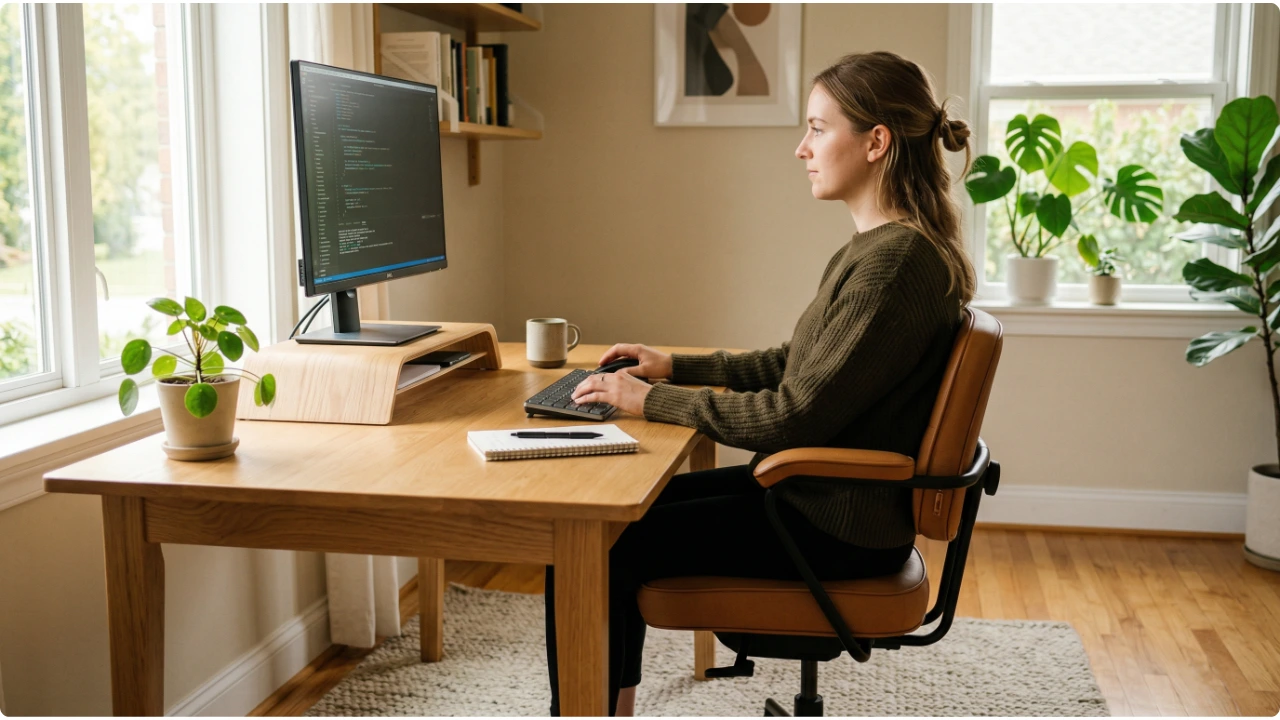
A monitor stand raises your screen. That is the part it handles well. What it cannot do is fix everything else — and for most people, everything else is where the discomfort actually lives.
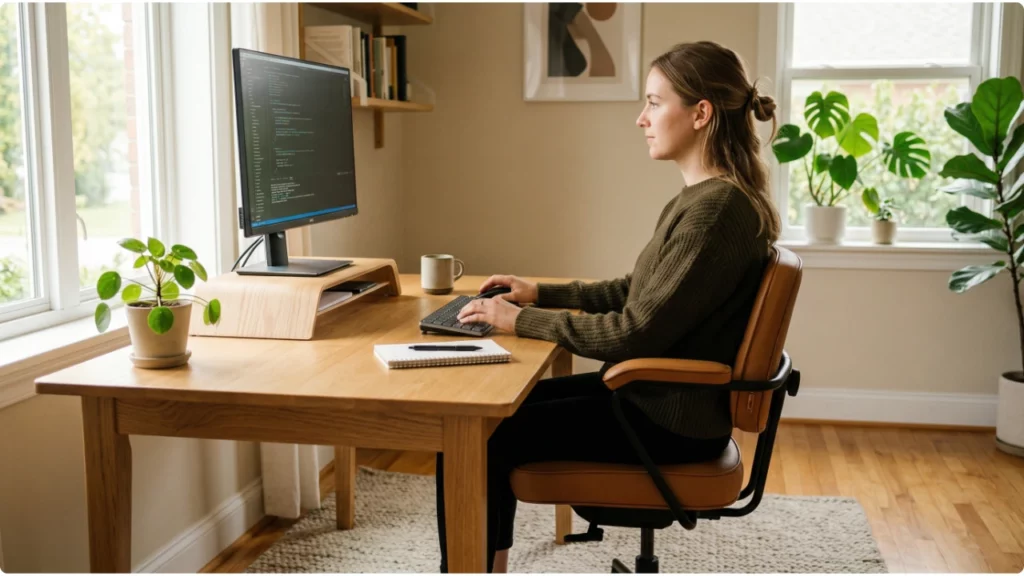
Ergonomic monitor stands have become one of the more popular home office additions in recent years, and the appeal is straightforward. Raise the screen, improve the viewing angle, reduce the neck strain. It is a simple fix for a common problem.
The difficulty is that it is only a partial fix. A stand addresses one variable in a setup that has several. Understanding what a stand actually controls — and what it does not — is what separates a setup that feels genuinely comfortable from one that still aches despite the upgrade.
What Makes a Monitor Stand Ergonomic
What a Monitor Stand Does and Does Not Control
A monitor stand does one thing well. It raises the screen off the desk surface to a height that is closer to where your eyes naturally want to rest.
That matters. A screen sitting flat on a desk forces the head forward and downward for hours at a time, loading the cervical spine in ways that compound across a working week. Raising it removes that sustained downward angle and gives the neck a chance to hold a more neutral position.
What a stand cannot do is guarantee the right height for every person, every chair, or every desk. A fixed-height stand raises the screen by a set amount. Whether that amount is correct for your sitting position depends entirely on factors the stand has no influence over — how high your chair sits, how tall you are, and how your desk height relates to both.
This is where most people stop after buying a stand. The screen is higher, which feels better than before, but the position has not actually been dialled in. The stand did its job. The setup around it did not keep pace.
Ergonomic Monitor Height — Getting the Position Right
The target for ergonomic monitor height is consistent across guidance: the top edge of the screen should sit at or just below eye level, with the centre of the display falling in the natural downward viewing zone of roughly 10 to 20 degrees below horizontal.
In practical terms, when you sit in your normal working position and open your eyes without consciously adjusting your head, your gaze should land near the middle of the screen or slightly below it. If it lands above the display, the stand needs to come up. If it lands near the bottom edge, it needs to come down.
The specific height this requires varies from person to person. A taller person sitting in a higher chair needs the screen higher than a shorter person in the same setup. This is why adjustable stands serve a wider range of users than fixed-height options, and why the stand height should always be set relative to the person and chair together — not measured from the desk surface in isolation.
For anyone using progressive or bifocal lenses, the target height sits slightly lower than standard guidance suggests. Looking through the reading portion of a progressive lens requires the chin to lift if the screen is too high, which reintroduces the neck strain the stand was supposed to eliminate.
Ergonomic Monitor Placement — Beyond Just Height
Height is the most important variable but not the only one. Where the screen sits in relation to your body horizontally, how far away it is, and the angle it faces you all affect how comfortable the position feels across a full working day.
The screen should sit directly in front of you — aligned with your nose and sternum, not offset to one side. A monitor positioned even slightly to the left or right introduces a sustained neck rotation that the muscles responsible for holding that position were not designed to maintain for hours at a time.
Distance follows the arm’s length guideline reliably. Sitting back and extending one arm toward the screen, your fingertips should nearly reach the display. Too close and the eyes work harder to focus. Too far and the natural response is to lean forward, which undoes the posture benefit the stand created.
Tilt matters too. A slight backward tilt of around 10 to 20 degrees brings the screen more in line with the natural downward viewing angle and can also redirect glare from overhead lighting away from the surface. Most monitor stands offer some degree of tilt adjustment even when height is fixed — it is worth using.
How the Rest of the Setup Affects Whether a Stand Works
This is the half the stand cannot address, and it is where most ergonomic setups fall short.
Your chair is the foundation. If the seat height places your eyes too low or too high relative to the stand’s fixed position, the screen height is wrong regardless of what the stand is doing. A chair with adjustable seat height and proper lumbar support allows the pelvis to sit in a neutral position, which supports the natural curve of the lower spine and keeps the whole sitting posture from collapsing forward over time.
Desk height determines where your arms rest. If the surface forces your elbows upward or leaves them unsupported, wrist and forearm tension follow. The keyboard should sit at a height where the elbows fall naturally at the sides at roughly ninety degrees — not raised to reach it, not dropped below it. A footrest helps where a fixed desk height makes achieving the right seat position difficult without compromising leg and foot support.
Keyboard and mouse placement affects the upper body independently of the screen. Reaching forward for the mouse pulls the shoulder out of a neutral position. A keyboard angled steeply upward bends the wrists in a way that accumulates tension faster than most people notice. These things do not get fixed by raising the screen.
Lighting and glare operate separately again. A screen at the correct height and distance can still cause eye fatigue and awkward compensatory posture if reflections are present. Positioning the screen perpendicular to any window rather than facing it, and adjusting screen brightness to match the ambient light in the room, reduces the visual load that builds quietly across a session. Anyone experiencing persistent eye fatigue alongside screen discomfort will find the detail on reducing eye strain covers this in more depth.
Common Mistakes — And Why They Persist
- Raising the screen without adjusting anything else
The stand goes on the desk, the monitor goes on the stand, and the chair, keyboard, and posture stay exactly where they were. The screen is now higher, which feels like progress, but the body has simply found new ways to compensate for everything that did not change.
- Raising the screen without adjusting the seat
If the chair height places your eyes too low or too high relative to the stand’s fixed position, the screen height is wrong regardless of what the stand is doing. That needs to be addressed directly — through seat adjustment, a keyboard tray, or a different chair — not worked around by stacking the screen higher.
- Focusing only on neck and back comfort while ignoring eye fatigue
Screen height affects how the eyes work as much as how the neck holds position. A screen that is too high or too far away introduces sustained visual effort that contributes to end-of-day fatigue in ways that do not always get traced back to the setup.
- Forgetting to readjust other equipment after adding a stand
A screen that is now higher may change the angle at which overhead lighting reflects off the surface, introduce new glare sources, or shift the relative position of a webcam. Small downstream adjustments are worth making once the stand height is set.
Which Stand Characteristics Actually Support Ergonomics
Not all stands contribute equally to an ergonomic outcome. The characteristics that matter most are height range, stability, and whether the stand allows the screen to be set at the right position for the specific person using it rather than a compromise that approximates it.
An adjustable stand with a meaningful height range serves a wider variety of users and setups than a fixed riser. If the desk is shared, or if the chair height changes between users, adjustability is not a convenience feature — it is the difference between a stand that works ergonomically and one that simply raises the screen by a fixed amount.
Stability affects whether the position holds. A stand that flexes under the weight of the monitor, or that shifts slightly when the mouse is used on a surface that vibrates, introduces low-level instability that the eyes compensate for without the person noticing. Over a long session, that compensation is tiring.
The best monitor stands for desks cover a range of height options and desk footprints suited to the setups most common in smaller home offices — which is where the practical choice between fixed, adjustable, and storage-integrated designs becomes relevant.
A stand is a useful and often necessary part of a comfortable home office setup. What makes it ergonomic is not the stand itself — it is whether the height, placement, and surrounding setup work together to keep the body in a position it can sustain without effort.