
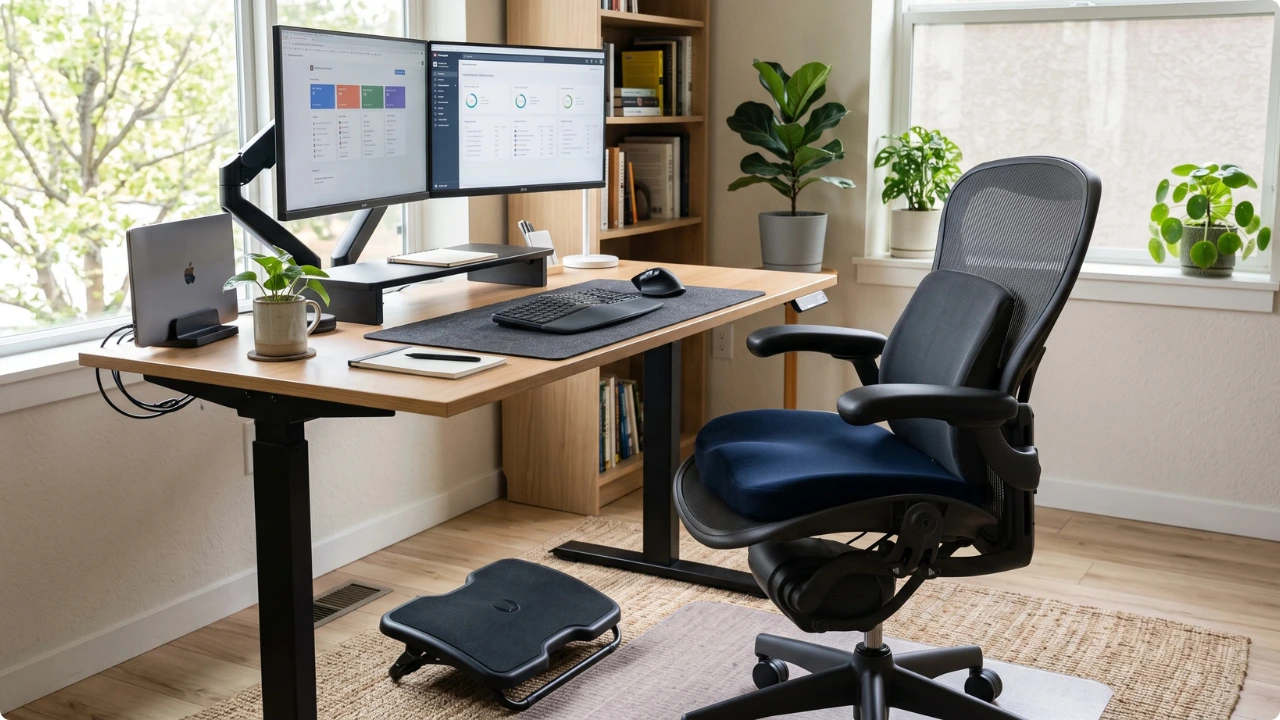
Most office chairs can be made more comfortable with minor adjustments. They’re often mistaken for poor quality because the chair was never fine-tuned to the user.
Most office chairs are rarely setup with all the adjustments fine-tuned. They come out the box, get pieced together, feel comfortable for the first hour or two, then it’s constant tweaking to make it as comfortable as possible. After several failed attempts to make it comfortable, yet aches persist, the chair takes the blame. Poor quality.
Some chairs are genuinely poor. Far more often though, the discomfort comes down to the setup.
How to Make Your Office Chair More Comfortable
1. Set Your Seat Height for Your Feet, Not the Desk
The most common setup error is matching the chair to the desk. That pushes most people too high, leaving their feet dangling or their toes pressing into the floor for balance.
Set the height from your legs instead. Sit all the way back, plant both feet flat on the floor, and adjust the seat until your thighs sit roughly parallel to the ground. There should be no pressure under your thighs at the front edge of the seat.
Too high and your feet lose contact with the floor, which shifts your weight onto the seat edge. Too low and your knees rise above your hips, which rounds your lower back and pulls you away from the backrest.
The lever is usually under the seat on the right-hand side. Take your weight off the chair as you raise it, and stay seated as you lower it.
2. If the Desk Is Too Low, Add a Footrest
Some desks and keyboard trays sit low enough that a correct seat height leaves your knees hitting the underside. When the desk height can’t be altered, the answer is to support your feet at the height the chair forces you sit at.
Test it before buying anything. A sturdy box or a ream of paper is enough to tell you whether it helps. If the pressure under your thighs eases straight away, an adjustable footrest with a non-slip base may be worth the spend. If nothing changes, the problem sits elsewhere in the setup.
Foot support works by taking your leg weight off the front edge of the seat. Without it, that edge carries the load, which is what produces the aching and numbness after an hour or two.
3. Check the Gap Behind Your Knees
Seat depth is the distance from the backrest to the front edge of the seat. It decides whether the seat pan supports your thighs or presses into the back of your knees.
Sitting all the way back, there should be roughly two to three fingers of width between the seat edge and the back of your knees. Chairs with a sliding seat pan let you set this directly. Most budget chairs do not have one.
If yours does not adjust, you are working around it rather than fixing it. A seat that is too deep pulls you forward to relieve the pressure behind your knees, and that costs you contact with the backrest. Sitting forward with a cushion behind your lower back closes the gap. A seat that is too short is harder to work around, and worth the extra consideration when you’re planning to upgrade to a new chair.
4. Set the Backrest Angle and Recline Tension
Granted, not all office chairs have adjustable backrests with tension control. If yours does, this is the key to making the exact same chair more comfortable. A backrest locked bolt upright may feel like it should encourage good posture, but holding yourself vertical is tiring. Within minutes you might feel yourself drifting forward off the backrest.
Unlock the recline so the backrest moves with you, then set the tension so it holds your weight when you lean back. A slight recline, somewhere around 100 to 110 degrees rather than a full lounge, puts less load through the lower spine than sitting rigidly upright.
The tension control is usually a knob under the front of the seat. The recline lock is often a separate lever on the side.
This step is pertinent because everything that follows below depends on you actually being in contact with the backrest.
5. Adjust the Armrests Last, or Take Them Off
Armrests come last because they depend on everything already set. With the seat height fixed, raise or lower them so your elbows rest lightly and your shoulders stay relaxed, neither lifted nor dropped.
If the armrests sit too high and will not lower, which is common on older and budget chairs, removing them is usually better than leaving them. Fixed armrests that are too tall either push your shoulders up all day or hold your arms out at an angle that keeps the upper back and neck taking the strain. Most bolt on from underneath and come off with a hex key.
Work without them for a day to see if it makes a difference. You might be pleasantly surprised at the difference it makes.
What to Add If the Chair Is Still Uncomfortable
If all five adjustments are done and sitting still leaves you with some aches, the chair is under-built in one of two places: the lower back or the seat pan. Both cost far less to fix than a replacement chair.
6. Add Lumbar Support
Most office chair backrests are flat or only shallowly curved, while the lower spine curves inward. That leaves a gap above the hips with nothing in it. Without support there, the lower back gradually rounds and the pelvis rolls backwards.
A cushion fills that gap so the backrest meets your spine where it curves. A rolled towel does the same job well enough to tell you whether it is worth solving properly. The best back support for an office chair comes down to which shape holds its position against the backrest your chair has.
One thing undoes all of it though. If your monitor sits too low you will lean forward to see it, come away from the backrest entirely, and the support behind you stops working. Sorting out the position of your computer screen so the top third sits at or just below eye level comes first, before you judge whether lumbar support helps.
7. Try a Seat Cushion
If you’re discomfort is at your hips, tailbone or thighs rather than your back, the seat padding is the likely cause. Foam compresses over time, and once it has gone flat the load lands on the bony points of the pelvis instead of spreading across the seat.
A cushion redistributes that pressure. Memory foam, gel and gel-topped foam all behave differently under load, so when choosing an office chair seat cushion the right type depends on where the pressure is landing and how long you sit.
A cushion changes what is under you, lumbar support changes what is behind you.
Breaks Matter More Than Any Single Adjustment
Every fix above changes how the chair holds you. None of them change the fact that no seated position is meant to be held for hours.
Getting up, stretching, or simply shifting position every 45 minutes or so does more for comfort than any further tuning. A chair that feels fine for twenty minutes and painful after an hour is saying something about duration rather than setup.
The order is what makes the difference. Make the adjustments that you can first, then spend only on what is still missing. A basic chair set up properly is more comfortable than an expensive one left as it came out of the box.