
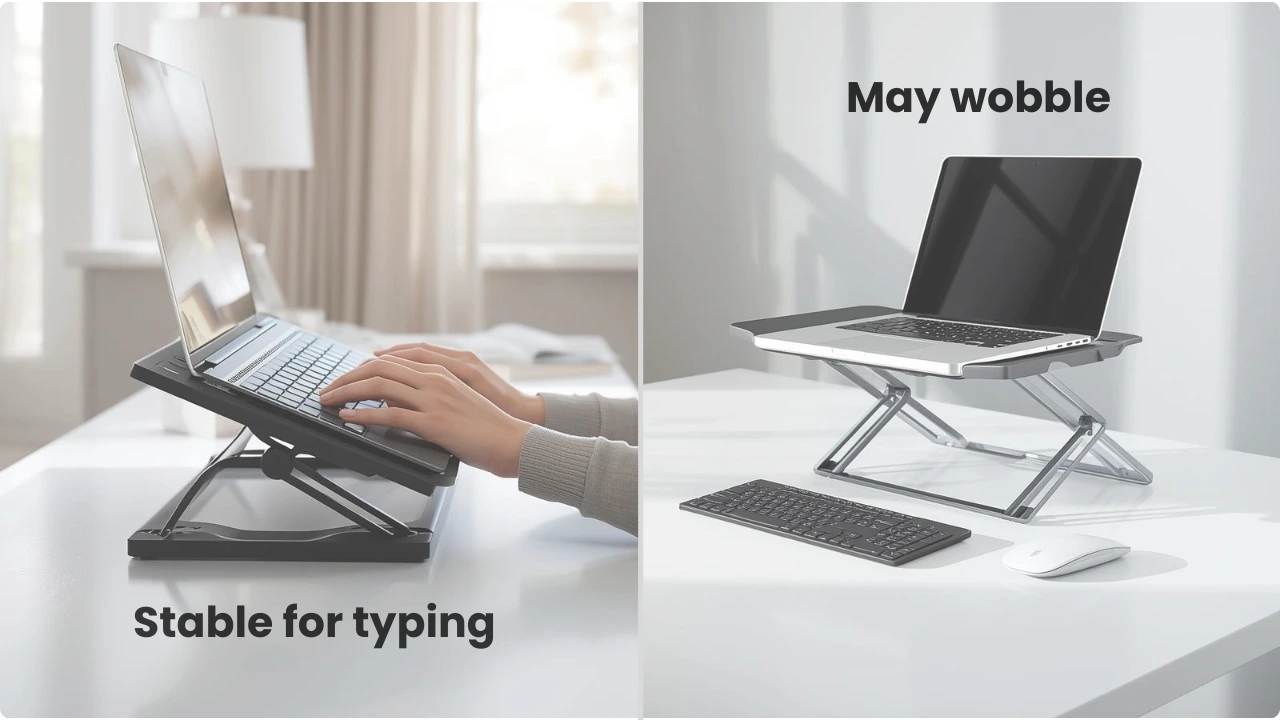
Some foldable laptop stands feel solid, while others wobble the moment you start typing. The difference usually comes down to how the stand is built — and how you’re using it.
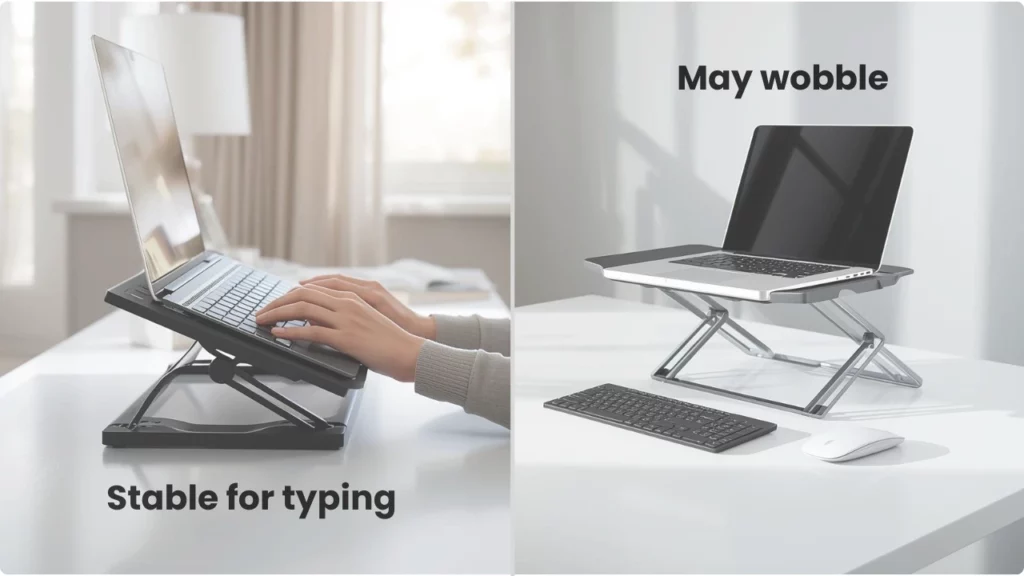
Foldable laptop stands can improve screen height and posture, but stability varies depending on the design and how they’re used.
Most prioritise portability, which can introduce some movement compared to more rigid setups.
Understanding what causes this helps set realistic expectations before choosing a stand.
Understanding the Stability of Portable Laptop Stands
Are Foldable Laptop Stands Stable?
Foldable laptop stands can be stable, but this depends on their design, materials, and how they’re used.
Lightweight models may shift slightly during typing, while sturdier designs with better support tend to feel more stable. Most fall somewhere in between, balancing portability with usability.
Why Some Laptop Stands Wobble
Materials and the design are the most common flex points. Plastic stands can have some flex, particularly under heavy use, such as with heavier typing styles. Lighter weight materials favour light typing use.
Even with strong materials, more hinge or connection points introduce more potential flex, making the stand more likely to wobble when typing.
Foldable laptop stands usually have more than one hinge, making them susceptible to wobbling depending on the design and structure of different stand styles, as seen across different types of portable laptop stands.
The more elevation the stand can provide, the more likely it is to be designed to raise a laptop for viewing and to be used with an external keyboard.
All laptop stands involve trade-offs, and stability usually comes down to the design. The most stable types of laptop stands have two supporting arms connecting to a wide base to sit flat on a stable desk or table.
Which Laptop Stand Designs Are Least (and Most) Likely to Wobble?
While materials and hinge strength play a role, stability is one of the biggest factors when choosing a portable laptop stand. That’s determined by how the stand is supported at the base.
Some designs are more prone to movement than others. Where the base of the legs rest is a major factor — and when using a laptop stand on a sofa, some level of wobble is almost unavoidable.
Single-Arm or Central Support Designs
Single arm or central support designs are common in 360° rotating laptop stands. The reason being, they are for sharing the screen, not the keypad or touchpad.
- A single support point with a laptop tray on top can feel stable when idle but flex when you type on the integrated keyboard.
Dual-Support or Reinforced Designs
- Two arms, one either side of the laptop base, are better for stability as it’s a reinforced design with the weight distributed evenly.
When typing, pressure is applied across the same area where the supports sit, which helps reduce movement compared to single-support designs.
How sturdy it is though depends on the material as some can have some bend to them when typing.
Wide-Base or Platform-Style Setups
- Rigid materials combined with a wide, flat base and minimal hinge points provide the highest level of stability.
Though this style is the most stable, they are not the most practical for travel or hot-desking.
Are Laptop Stands Meant to Be Typed On?
Most laptop stands aren’t specifically designed for heavy typing. Traditional guidance is to pair them with an external keyboard setup when using a laptop stand, mainly for ergonomic reasons.
For those working full days on a laptop, there’s a balance to strike between viewing at eye level (around 10° to 20° angle to prevent neck strain) and elbows at 90° to 110° for comfortable typing.
Portable laptop stands and foldables intended for travel are designed for a different purpose and not intended to be used for long periods of typing. An hour to two at a coffee shop, most are capable, but not always comfortable and are likely to have some wobble to them when used without external devices.
In practice, many users still type directly on their laptop when it’s on a stand, but whether it feels stable depends on the user’s typing style.
What Makes a Laptop Stand Stable Enough for Typing
The most stable laptop stands are designed to support dynamic weights with a wide base, rigid materials, and minimal hinges as those can introduce multiple weak points.
Even on lighter materials, portable or foldable laptop stands may have toughened material for hinges or joints to provide a stronger resistance.
- The lower the height of the stand, the more comfortable it’ll be to type on and there will be less weight shifting when the stand is in use. It also helps for the laptop tray to have anti-slip grips to prevent sideways movement.
- Stability improves when the stand distributes weight rather than concentrating it in one area.
Finding a Laptop Stand That Feels Stable for Your Setup
Stability depends as much on how a stand is used as it does on the design and features, which vary depending on the type of portable laptop stand being used.
When You’re Typing Directly on the Laptop
Typing directly on a laptop places constant downward pressure on the stand. Lightweight or narrow designs may show movement more easily, especially with faster or heavier typing styles.
For longer typing sessions, stability becomes more noticeable, and less rigid stands may feel less comfortable to use.
When You’re Using It as a Screen Riser
Not typing on the laptop doesn’t eliminate the stability requirement. Even on a solid, flat base like a level table or desk, the laptop screen can wobble from the vibration of typing, which can make viewing less comfortable over time.
Materials and designs for the most stable screen risers are:
- One-piece or minimal hinge designs
- Wide base with strong contact points
- Heavier or thicker materials
- Stable at lower-to-mid height
The most stable materials are aluminium, steel, or durable plastic like ABS plastic, provided the stand is designed for stability over minimalism or for aesthetics.
When You’re Working on the Move (Café, Train, Small Desk)
Portable laptop stands that get moved around are the least stable, requiring you to work around the limitations of lightweight designs.
Prioritise these:
- Wider footprints over tall, narrow designs; low-rise wedge or two-block “module” stands tend to feel steadier than spidery multi-joint arms at the same weight.
- Minimal hinges: two or three solid joints you can really lock down are better than a chain of tiny friction pivots that each add a bit of play.
- Triangulated or Z-style structures where the load path is straight down through metal, not relying on thin, cantilevered arms that flex.
- Rated weight and size: if the stand is specced only for small laptops or tablets, a 15–16″ machine will exaggerate wobble at the screen edge.
How to use these on-the-go:
- Use the lowest height setting
- Push the stand back from the edge of the desk or table
- Use a thin non-slip mat (mouse-pad-like neoprene) under the stand
- Avoid resting your palms on the laptop if you must type directly on it
- Depending on whether you’re traveling in a car, or public transport, the weight of the stand is something to consider.
What weight is considered portable for a laptop stand differs by the user’s ability to carry it around.
Hot-desking could be from home to car, while others could be using public transport and walking to and from meeting points, requiring a work kit in a backpack or laptop bag to be carried for longer periods.
When You’re Working at a Desk for Longer Sessions
This is the setup that the most rigid of laptop stands are designed for. Solid, level bases, one-time setup, wide base, short rise, positioned slightly back from the desk edge to better distribute weight, and be paired with an external keyboard.
Most portable stands involve some trade-offs, so some users prefer a lower, more stable setup or choose from more stable portable laptop stands designed for everyday use.
Conclusion
Foldable laptop stands vary in stability depending on how they’re built and how they’re used.
While some movement can be expected in lightweight designs, stands with better support and weight distribution tend to feel more stable when used for typing rather than just viewing. Understanding these differences makes it easier to choose a setup that suits how and where you work.