
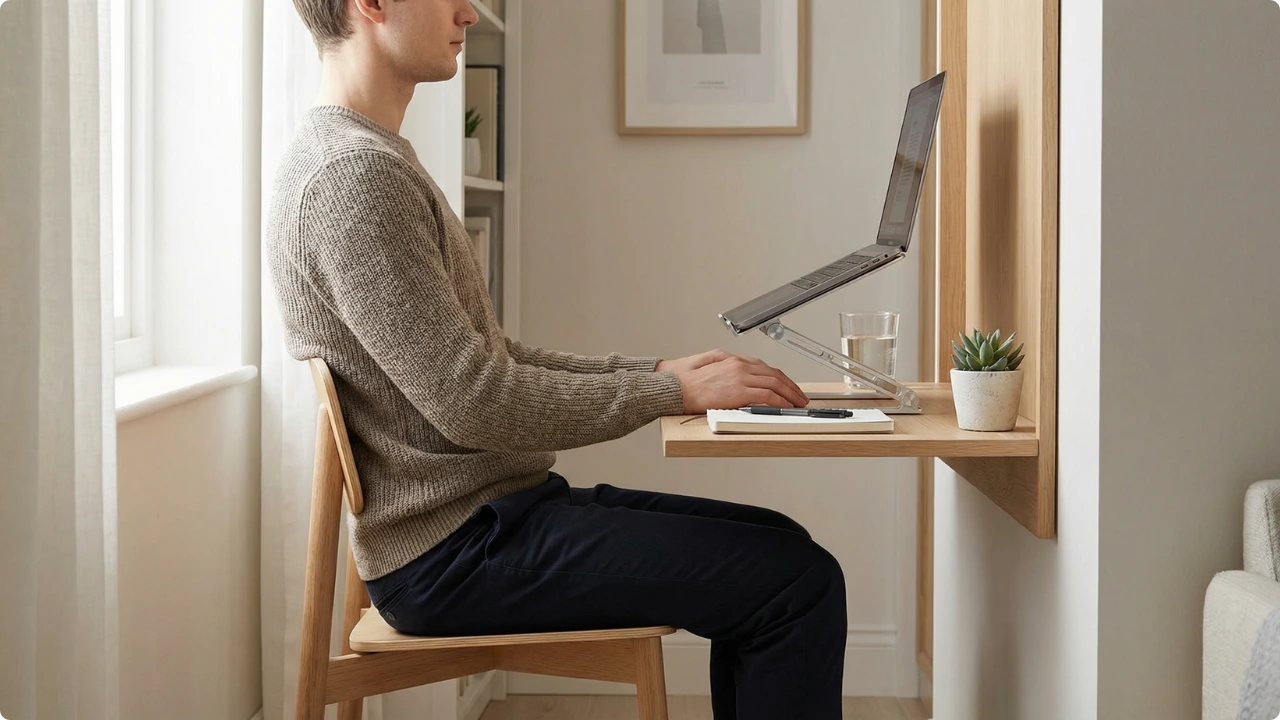
Portable laptop stands are often described as a simple posture fix. But do they genuinely improve alignment — or just change where the strain shows up?

Raising a laptop screen can reduce the need to look downward for long periods. For many users, that alone feels like an improvement.
Yet posture is influenced by more than screen height. When a laptop is elevated, other angles change at the same time — sometimes for the better, sometimes with new trade-offs.
How Screen Height Changes the Equation
Laptops tie screen height and keyboard height together, which limits how precisely each can be positioned. Elevating the device alters that relationship, affecting the neck, shoulders and overall alignment.
Understanding those changes makes it easier to see when a portable stand genuinely improves posture — and when it simply shifts the load elsewhere.
On this page
Why Laptop Use Commonly Leads to Poor Posture
A laptop’s design forces a compromise between screen height and keyboard position during prolonged desk work. If the keyboard is set at a comfortable elbow height, the screen usually sits too low. Raise the screen, and the keyboard rises with it. Because the two are attached, full alignment is difficult without external equipment.
When the screen sits below eye level, the head tilts forward to see clearly. That forward angle increases the load on the neck and upper back, encouraging rounded shoulders rather than a neutral, stacked posture.
The compact layout adds another layer. Smaller screens sit closer to the body, which often leads users to lean in. Narrow keyboards and trackpads can also encourage raised shoulders or bent wrists, increasing tension through the arms and upper spine.
In shallow or narrow desk setups, these effects are amplified. Limited depth reduces the ability to adjust viewing distance, and many people slide forward in the chair to compensate. Lumbar support is lost, the pelvis rolls back, and what begins as a screen-height issue becomes a whole-body posture problem.
What a Portable Laptop Stand Actually Changes
Elevating a laptop alters more than just screen height. It changes how the head, arms and upper body relate to the desk surface. Some of those changes reduce strain; others depend on how the rest of the setup is arranged.
Screen Height & Neck Position
The most immediate effect of a portable laptop stand is raising the screen closer to eye level. When the top of the display sits at or just below eye height, the need to bend the neck downward is reduced.
A more neutral head position reduces sustained muscular effort through the neck and upper back. For many, this is where the greatest posture improvement occurs. The upper spine can stack more naturally over the shoulders rather than drifting ahead of them.
If the screen is raised too high or remains too low, however, the benefit diminishes. The head will simply adjust again — either tipping downward or craning upward — recreating a different version of the same problem.
Viewing Distance & Eye Position
Raising the screen often improves viewing distance as well. When the display sits higher, users are less likely to lean forward to read small text or focus on details.
An ideal distance is roughly an arm’s length from the screen. At this range, the eyes can focus without prompting the torso to move closer. Reducing that forward lean helps limit rounding through the shoulders and upper back.
In shallow desk setups, this adjustment can be subtle but meaningful. Even a few centimetres of improved distance can reduce the tendency to hover over the keyboard.
Arm and Shoulder Position
A stand affects the arms differently depending on whether external input devices are used. When typing directly on a raised laptop, the keyboard rises with the screen. This can lift the hands above elbow height, increasing shoulder elevation and strain through the upper arms.
In this scenario, neck posture may improve while arm and shoulder load increases. The overall effect depends on which area was under more strain to begin with.
Stability also influences muscular effort. A slight amount of movement in a portable stand is not inherently problematic, but noticeable wobble can prompt subtle bracing through the shoulders and forearms.
If you find yourself tensing to steady the screen while typing, the posture benefit is partly offset. The aim is reduced muscular effort across the system, not simply a higher display position.
When a Portable Laptop Stand Can Make Posture Worse
Raising the screen does not automatically improve alignment. In certain conditions, a portable stand can simply relocate strain rather than reduce it. The outcome depends on how the stand is used and what changes alongside it.
Typing on a Raised Laptop Keyboard
When the entire laptop is elevated and the built-in keyboard remains in use, the hands rise with the screen. This can lift the elbows above a relaxed angle and increase shoulder elevation.
In this position, neck flexion may improve while strain shifts into the shoulders, forearms and wrists. Over time, that trade-off can feel like progress at the neck but discomfort elsewhere.
A stand works best when screen height and keyboard height are adjusted independently. If they are not, the imbalance changes location.
Raising the Screen Too High or Too Low
More height is not automatically better. If the display is raised beyond eye level, the head may tilt upward slightly, increasing tension at the base of the skull. If it remains too low, the neck still bends forward.
Limited adjustability can make it difficult to reach a neutral viewing angle. In those cases, users often lean forward or subtly reposition the torso to compensate, which reduces the intended benefit.
The goal is not maximum elevation, but appropriate alignment.
Using “Tilt-Only” Stands
Some lightweight stands primarily change the keyboard angle rather than significantly raising the screen. While this can improve airflow and slightly adjust wrist angle, it may not meaningfully reduce neck flexion.
If the screen remains well below eye level, posture may not change in any substantial way. The stand alters the device position, but not the alignment pattern.
Working on Sofas, Beds or Soft Surfaces
Portable stands are often used outside traditional desk setups. When using a laptop on a sofa, or other soft or uneven surfaces, the stand can sink, tilt or shift.
This encourages twisting, slumping or propping the body forward to see the display clearly. In these situations, the stand cannot compensate for the lack of back support or stable working height.
Extremely Shallow Desks
In compact desk setups, depth becomes a limiting factor. Raising the laptop may leave insufficient space to position an external keyboard comfortably in front of it.
When there is no room to separate screen and keyboard height, users tend to revert to typing on the elevated device. The stand improves one variable while restricting another.
When a Portable Laptop Stand Works Best
For someone working several hours a day on a laptop, small alignment improvements can feel significant — provided they don’t introduce new tension elsewhere.
A portable laptop stand improves posture most effectively when the screen is raised to eye level and the keyboard height is adjusted independently. This usually means pairing the stand with an external keyboard and mouse.
Lower-body alignment and regular movement still matter. A stand improves screen position, but overall posture depends on how the entire workstation is arranged.
For extended daily use, the stand should be viewed as one element of a balanced setup rather than a standalone solution.
Practical Scenarios
Whether a portable laptop stand improves posture depends less on the accessory itself and more on how it is used. The table below summarises the most common configurations and their likely effects.
| Scenario | Likely Effect on Posture |
| Stand + external keyboard and mouse | Improved neck alignment, reduced forward head posture, arms remain relaxed when positioned correctly. |
| Stand only, typing on the raised laptop keyboard | Neck angle may improve, but shoulder elevation and wrist extension can increase strain. |
| No stand, laptop flat on desk | Greater neck flexion, forward head positioning, and sustained upper-back rounding. |
| Screen raised too high or too low | Compensatory craning upward or slouching downward; limited net benefit. |
| Stand used on soft or unstable surface | Increased muscle tension from bracing or adjusting for movement. |
In practice, a portable laptop stand improves posture when it reduces overall muscular effort rather than shifting strain from one area to another.
In Summary
Portable laptop stands can improve posture — primarily by reducing sustained neck flexion and bringing the screen closer to eye level. For many users, this alone lessens the tendency to hunch forward over the display.
However, the benefit depends on what happens to the rest of the setup. If the keyboard rises with the screen and the shoulders tense to compensate, discomfort may change region rather than resolve.
Used with independently positioned input devices and appropriate screen height, a stand can support more neutral alignment. Used in isolation, it offers a partial solution.
Portable laptop stands vary in how much height they provide and how stable they remain in compact desk setups, which can influence how effectively they support posture over longer sessions.
Ultimately, a stand works best when it reduces overall muscular effort — not just when it raises the screen.