
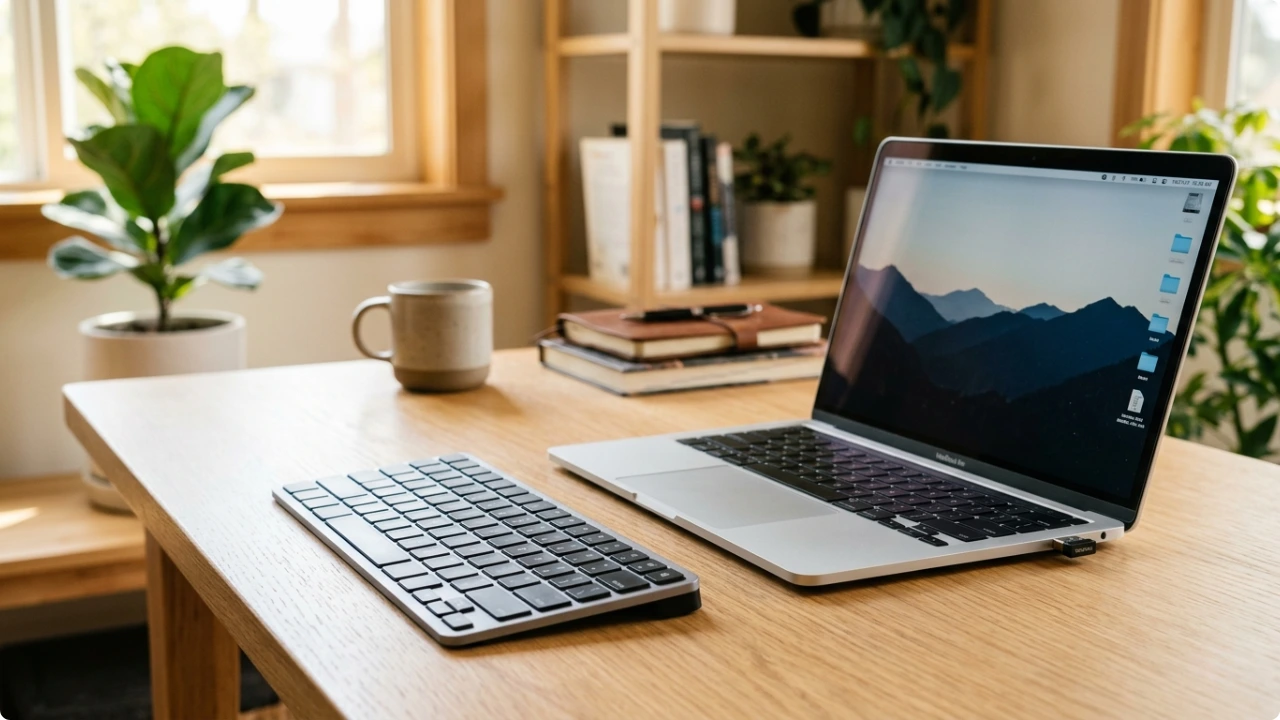
Wireless keyboards are one of two types: Bluetooth, or 2.4GHz USB. One is built for flexibility. The other for stability. Which suits you depends on how you work.
Bluetooth and 2.4GHz USB wireless are the two main ways a cordless keyboard connects to a computer. Both cut the cable. Both work without any complicated setup. But they behave differently in ways that can make one a noticeably better fit for how it’s used. Connected to one device or multiple simultaneously.
The connection type is one of the first practical decisions when choosing any type of keyboard for sustained typing work — and it’s one that’s easy to get wrong if you go by the listing description alone.
Wireless vs Bluetooth Keyboards: Which One is Right for You?
What ‘Wireless’ Involves
“Wireless” just means no cable. It doesn’t tell you how the keyboard actually connects.
Most use one of two methods: Bluetooth, which pairs directly with your device and needs no USB port, or 2.4GHz wireless, which uses a small nano receiver that plugs in once and stays there.
Both are reliable. Bluetooth is the more flexible option across multiple devices. 2.4GHz tends to be the more stable, plug-and-play connection for a fixed desk.
When Bluetooth Makes More Sense
Bluetooth is the better choice when you move between devices regularly.
A Bluetooth keyboard can be paired to multiple devices at once — typically two or three — and switch between them with a single button press.
For someone who types on a laptop in the morning, takes calls on a tablet, and occasionally uses a phone to reply to messages, that flexibility removes a lot of friction from the day.
It’s also practical when USB ports are limited. A 2.4GHz keyboard occupies a port permanently with its receiver. A Bluetooth keyboard needs no port. Worth considering if you’re connecting to a slim laptop with limited ports available.
When 2.4GHz USB Wireless Makes More Sense
For desk work with a single computer, a 2.4GHz USB wireless connection is generally the more reliable option.
Plug the nano receiver in once and the keyboard is recognised immediately. There’s no pairing process, no handshake delay when the computer wakes from sleep, and no reconnection ritual. It behaves like a wired keyboard in every practical way except the cable.
Bluetooth can introduce small frustrations in a fixed desk setup. Older machines without built-in Bluetooth need an adapter. Some computers take a moment to reconnect after waking. In environments with a lot of competing wireless devices, Bluetooth connections can occasionally drop. None of these are dealbreakers, but they add a layer of management that a USB receiver simply doesn’t.
The trade-off is that a 2.4GHz keyboard connects to one machine only. If switching between a laptop and a desktop at the same desk is part of your workflow, Bluetooth — or a hybrid keyboard — is the more flexible option.
The USB Port Question
It’s worth being practical about this before deciding.
A nano receiver is small — most sit flush with the side of a laptop or desktop — but it does occupy a USB-A port permanently. On a desktop with several ports, that’s rarely an issue. On a slim laptop with two or three USB-C ports and a single USB-A, it can be a dealbreaker.
If ports are already tight, Bluetooth removes the problem entirely. If there’s a spare port that isn’t needed for anything else, a 2.4GHz receiver won’t be in your way.
On Mixed Connection Types
If you already use a wireless mouse, it’s worth checking how it connects before choosing a keyboard. If the mouse uses a nano receiver, that port is already taken. Adding a 2.4GHz keyboard means a second port is gone.
If ports are limited, a Bluetooth keyboard sidesteps that entirely — no receiver needed, nothing extra in the machine.
If the mouse is Bluetooth, the same adapter handles both. A Bluetooth keyboard pairs alongside it without needing anything additional.
Running a 2.4GHz mouse and a Bluetooth keyboard, or the other way around, works fine. The two connection types don’t conflict — it’s just a question of available ports.
A Quick Way to Decide
Two questions settle most of it.
Do you use the keyboard with more than one device?
If yes, Bluetooth — or a keyboard with both options — is worth the extra consideration. The multi-device switching on keyboards that offer both connection types genuinely help when you’re moving between a laptop and tablet throughout the day.
Is this keyboard staying at one desk, connected to one machine?
If yes, a 2.4GHz USB connection is likely the simpler and more reliable option. Plug it in, forget about it, get on with work.
For anyone undecided, a keyboard that offers both keeps all the options open without committing to one approach.
Connection type is one decision. Keyboard style is another. The best compact keyboards drop the number pad to save desk space — the smallest designs go further, losing the function row too. For longer typing sessions at a fixed desk, the best ergonomic keyboard without requiring cable management is often a 2.4GHz wireless. It’s the better fit because of the stability advantage.