
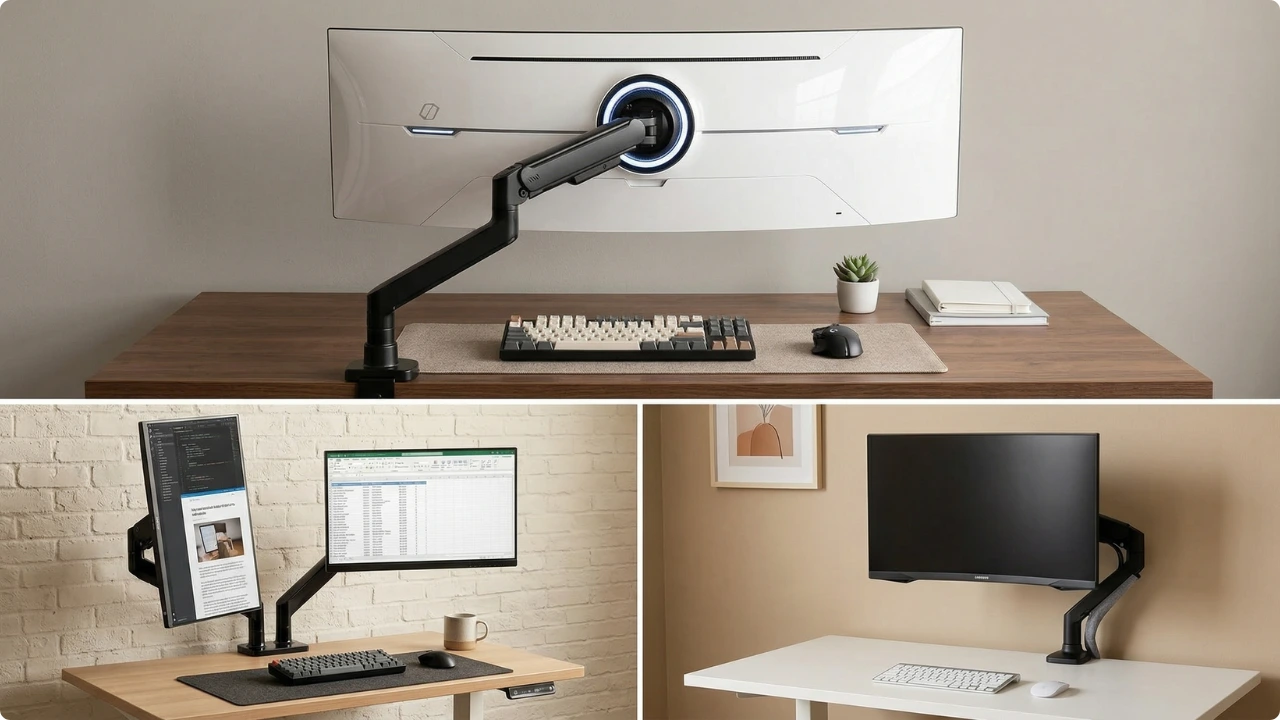
A monitor arm solves a simple problem—freeing up desk space—but how it does that depends on your setup.
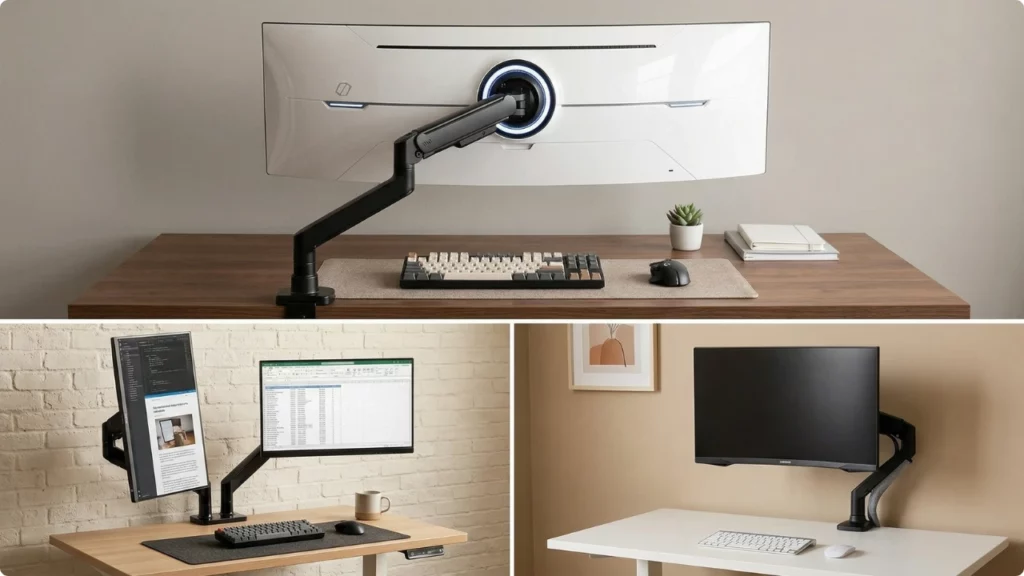
For a single screen, an adjustable arm makes it easier to position the monitor properly—especially on shared desks where the height or viewing angle needs to change throughout the day.
Once you move beyond a single screen, the requirements change.
Dual monitor setups benefit from independent positioning without taking up extra space, while larger ultrawide displays shift the focus toward weight support and stability. Not every arm is built for that, which is where heavier-duty options come in.
The right choice comes down to how your desk is set up. Most people fall into one of three categories—dual monitors, a single ultrawide, or a heavier oversized display—and each requires a different type of arm.
Best Monitor Arms for Desk Space Saving
Best Dual Monitor Arm for Small Desks
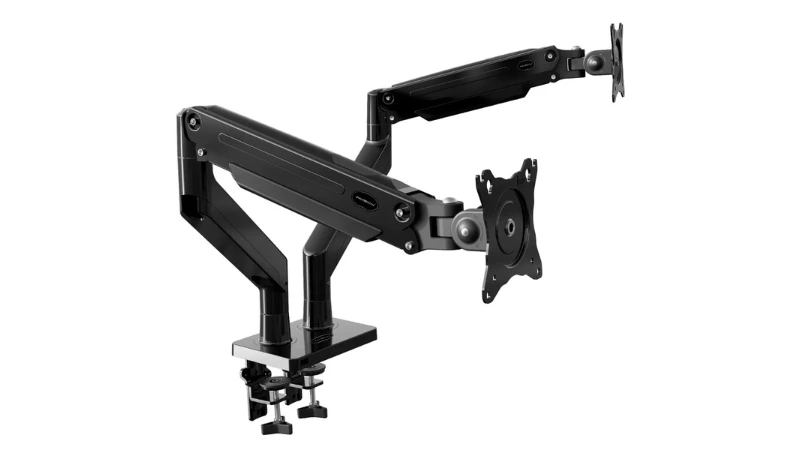
Invision Dual PC Monitor Arm Bracket
View on AmazonBest for:
Dual-screen setups with stable, independent positioning
Why it stands out:
A wide adjustment range combined with stable positioning makes this easy to adjust without losing control of position once set. The gas-assisted arms allow smooth height and reach adjustments, with full rotation and tilt for precise screen placement.
At the same time, the reinforced build keeps both monitors steady, even when repositioning throughout the day, reducing the risk of sagging or drift over time.
With full rotation, the screen can also be turned into a portrait orientation, which can feel more natural for reading or document work.
Pros:
- Supports two monitors up to 35″ each
- Widely adjustable (tilt, swivel, rotation, height)
- Gas spring arms allow smooth, controlled repositioning
- Frees up desk space compared to using two separate stands
- Strong alloy steel construction helps minimise sagging
- Integrated cable management keeps the setup tidy
Limitations:
This type of dual arm needs enough space behind the desk to work properly. On shallower desks, the arms can extend beyond the back edge, which can limit positioning or make wall placement more difficult.
The gas spring system can also take some adjustment to get right. With lighter monitors, the arms may feel too strong at first, so dialing in the tension takes a bit of time to balance properly.
Performance can vary depending on the monitors used. Heavier screens or mismatched weights can affect how evenly the arms hold position, especially when adjusting tilt or height.
The clamp itself is secure, but it applies noticeable pressure to the desk surface. On thinner or more fragile desks, using a reinforcement plate or desk protector can help avoid marks or damage over time.
Initial setup is straightforward, but getting everything aligned—height, tension, and positioning—can take longer than expected, particularly with two monitors.
Key specs:
- Screen size: 24″ to 35″
- Weight capacity: 2 kg to 15 kg per arm
- VESA: 75mm / 100mm
- Mounting: Desk clamp or through-desk (grommet)
- Movement: Full motion (tilt +85° / -30°, swivel, 360° rotation)
- Build: Alloy steel frame
- Adjustment: Gas spring (counterbalanced)
- Arm weight: 5.35 kg
Verdict:
Invision’s dual monitor arm is well-built and offers stable, independent positioning with a wide range of adjustment. It’s not the smallest option, and the heavier base can feel noticeable on compact desks, especially when supporting two larger screens. Taking the time to set it up properly is important, particularly when balancing different monitor weights.
Desk compatibility is also worth considering. The clamp applies firm pressure, so using a reinforcement plate or desk protector can help prevent marks on softer surfaces or damage to thinner materials.
That said, once set up correctly, it provides a clean, stable alternative to using two separate stands, with far greater control over screen positioning. A practical choice for dual-monitor setups where adjustability and long-term stability are the priority.
Unlike single-arm setups, this focuses on managing two screens independently while keeping the desk footprint as small as possible.
Check today’s price on AmazonBest Monitor Arm for Ultrawide Monitors (for up to 34” screens)
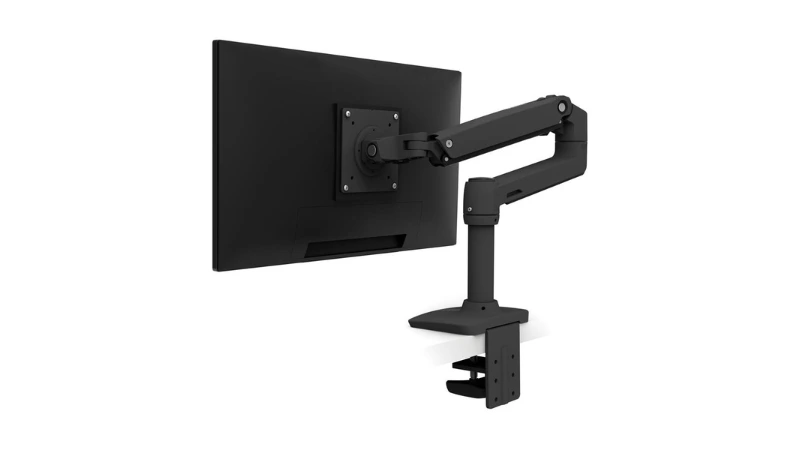
Ergotron LX Premium Monitor Arm
View on AmazonBest for:
Ultrawide setups with stable, precise positioning
Why it stands out:
Wide adjustability combined with smooth, controlled movement makes it easy to position larger screens precisely. The Constant Force mechanism allows the monitor to be raised, lowered, or repositioned without needing to reset tension each time.
The extended height range and reach give more flexibility than most standard arms, making it easier to align an ultrawide display comfortably without being limited by desk depth or fixed positioning.
Full rotation and tilt adjustment allow the screen to be fine-tuned for different tasks. This can help when adjusting viewing height or switching orientation for reading and document work. This is where it separates from cheaper arms—movement feels controlled and consistent rather than stiff or unbalanced.
Pros:
- Designed for monitors that exceed standard arm weight limits
- Supports ultrawide monitors up to 34″
- Smooth, controlled adjustments using a gas spring system
- Wide height adjustment range (up to ~33 cm lift)
- Full articulation with 360° rotation
- Folds back to free up desk space when not in use
- Aluminium build with long-term durability (10-year warranty)
Limitations:
The arm needs enough space behind the desk to use its full range of motion. On shallower desks or setups close to a wall, the extended reach can be harder to take full advantage of.
The gas spring tension also needs to be set correctly for the monitor weight. If not adjusted properly, the screen can drift slightly or feel too stiff when repositioning.
It’s less suited to very lightweight monitors, where the arm may not balance as smoothly across the full range of movement. Movement is more controlled than loose, which helps keep the screen stable once positioned, but can feel firmer than lighter arms even when the tension is set correctly.
Unlike heavier-duty arms, this focuses on precise positioning rather than load capacity.
Key specs:
- Screen size: up to 34″
- Weight capacity: 3.2 kg to 11.3 kg
- Height adjustment: ~33 cm lift
- Rotation: 360°
- Tilt: up to 75°
- Mounting: Desk clamp or through-desk (grommet)
- Movement: Articulating arm with Constant Force technology
- Build: Aluminium
- Arm weight: ~4.4 kg
Verdict:
A well-built single monitor arm designed for larger screens where precise positioning and long-term stability are the priority. The extended reach and controlled movement make it well suited to ultrawide setups, particularly on deeper desks where standard arms can feel restrictive.
It can also be a practical option for more compact desks. By lifting the screen off the surface, it frees up usable space underneath while still allowing the monitor height to be adjusted as needed.
Once set up correctly, it provides consistent, stable positioning without drift, along with a wide range of adjustment. A strong choice for single-monitor setups where build quality and control take priority over cost.
Check today’s price on AmazonBest Heavy-Duty Monitor Arm (For Large & Ultra-Heavy Screens)
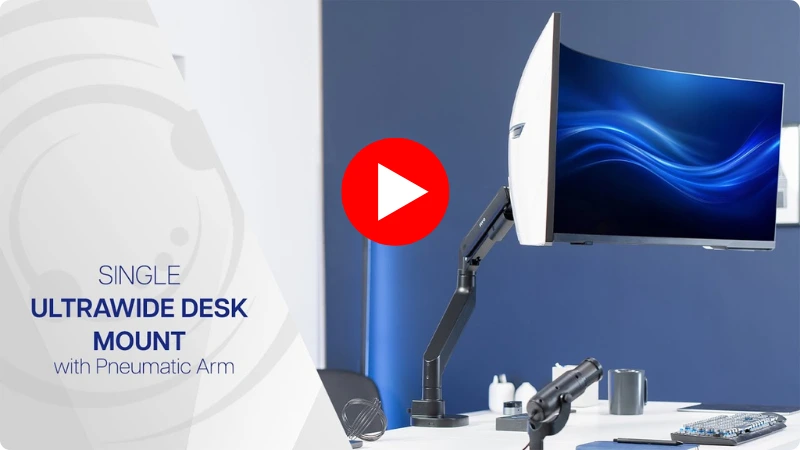
VIVO Heavy Duty Ultrawide Monitor Arm (STAND-GT57)
View on AmazonBest for:
Oversized ultrawide setups where standard monitor arms can’t support the weight
Why it stands out:
Built specifically for oversized displays, this focuses on load capacity rather than fine adjustment. The reinforced structure and high weight support allow it to handle ultrawide screens that are often used to replace dual-monitor setups.
By supporting a single large display, it removes the need for two separate stands while still allowing a split-screen workflow. This helps free up desk space underneath and simplifies the overall setup without relying on a wall-mounted solution.
The pneumatic arm helps counterbalance heavier monitors, making repositioning manageable despite the added weight. While it still offers tilt, swivel, and rotation, the emphasis here is on stability under load rather than smooth, precise movement.
Pros:
- Supports screens up to 57″
- High weight capacity up to 27 kg (flat screens)
- Handles curved ultrawide monitors effectively (up to 22 kg)
- Pneumatic arm helps counterbalance heavy screens
- Strong steel build improves long-term durability and stability
- Wide articulation: tilt (+55° to -30°), swivel, and rotation
- Includes reinforcement plate for added desk support
Limitations:
The arm needs clear space behind the desk to function properly. It isn’t suited to edge mounting or setups with integrated shelving or raised backs, which can restrict extension and positioning.
The clamp and base are larger than standard arms to handle the extra weight, so it can feel bulky around the mounting point on smaller desks.
The cable management is minimal and works best for lighter runs like a webcam cable. Multiple thicker cables — HDMI, DisplayPort, power — are likely to remain visible.
Installation can require a second person when mounting heavier ultrawide displays. Note also that some monitors, like certain Samsung Odyssey models, need a separate VESA adapter not included with the arm.
Key specs:
- Screen size: 24″ to 57″
- Weight capacity: up to 27 kg (flat) / 22 kg (curved)
- Height adjustment: ~30 cm range
- Tilt: +55° to -30°
- Rotation: 360°
- Mounting: Clamp or grommet (top-side install up to ~4 cm desk thickness)
- VESA: 75×75 to 200×200 compatibility
- Build: Steel
Verdict:
Designed for setups that push beyond what standard monitor arms can handle. If you’re using a large ultrawide to replace a dual-monitor setup, this provides the support needed to keep a single wide display securely positioned without relying on multiple stands.
It’s not the most compact or refined option, and the heavier build requires a sturdy desk to match. Movement is more functional than precise, reflecting its focus on load handling rather than fine adjustment.
For single-screen setups where space can be reclaimed by switching from two monitors to one ultrawide, this is the most capable option of the three.
It’s best suited to setups where strength and support take priority over compactness or refinement.
Check today’s price on AmazonWhich Monitor Arm Is Right for You?
The best monitor arm is dependent on how you use your desk space. Space-saving is the goal, but the type of arm needed changes based on your setup.
- For a single monitor or shared desk, an adjustable arm makes it easier to reposition the screen without taking up desk space
- For dual monitor setups on compact desks, a dual arm keeps both screens aligned while freeing up more usable surface space beneath the monitor
- For ultrawide monitors, a single arm with extended reach and smooth adjustment helps position larger screens more precisely
- For heavier or oversized displays, a heavy-duty arm provides the support needed to hold weight securely without sagging
- For desks positioned against a wall or with limited rear space, check how much clearance the arm needs—some models require more room to extend fully
- Best Dual Monitor Arm: Invision Dual PC Monitor Arm Bracket
- Best Monitor Arm for Ultrawide Monitors: Ergotron LX Premium Monitor Arm
- Best Heavy-Duty Monitor Arm: VIVO Heavy Duty Ultrawide Monitor Arm (STAND-GT57)
FAQs
Can a monitor arm damage a desk?
It can, depending on the desk and how the arm is mounted. Most monitor arms use a clamp that applies pressure to hold the weight in place. On solid desks, this usually isn’t an issue, but on thinner, hollow, or softer materials (like MDF or particleboard), the pressure can leave marks or cause damage over time. Using a reinforcement plate or desk protector helps distribute the load more evenly and reduces the risk. This becomes more important with heavier setups like dual monitors or ultrawide screens.
Do all monitor arms fit all monitors?
No. Most monitor arms rely on VESA mounting holes (75×75 mm or 100×100 mm), which means the monitor needs compatible mounting holes on the back. Weight and screen size limits also need to match the arm’s specifications.
Do curved monitors need a specific type of arm?
Some ultrawide or curved monitors may require a VESA adapter or spacers due to their back panel design, and a few models don’t support mounting at all.
Is a monitor arm worth it?
For smaller desks, it usually is. By removing the stand footprint and allowing flexible positioning, a monitor arm can make the workspace easier to use without increasing desk size.
How much space does a monitor arm need behind a desk?
For most setups using a C-clamp, you’ll typically need around 5–20 cm (2–8 inches) of clearance behind the desk. If the desk sits directly against a wall—such as a floating or fold-out desk—side clearance becomes more important. A grommet mount (through a hole in the desk) is the best option when there’s no rear clearance.